Our Platform







Our Products
Operator AI
Capture leads and book jobs with AI.
NewClearpath
Design every workflow and ensure your team sticks to it.
Custom Forms
Stop hunting for paperwork with digital forms.
Pricebook
Build custom Pricebooks to boost your sales.
Engage
All your communication in one place.
Fleet Tracking
Monitor your fleet from one dashboard.
By Industry
By Segments
Learn
Connect
Discover

About Us
Sales (855) 981-7900 Customer Support (469) 382-5668


Why Growing Your Service Business Feels Harder, Not Easier
It's 7pm. The job finished at 3. The tech is long gone, but the invoice isn't closed because the photos they were supposed to attach are buried somewhere in a group chat. You've texted them twice. You found three photos that might be from the right job. You send it anyway and hope the customer doesn't push back. That's not a bad day. For most plumbing and HVAC owners, that's just Tuesday. The easy explanations are always available — busy season, the wrong hire, not enough systems. But other businesses in your market, running the same number of trucks and doing the same types of jobs, aren't keeping these hours. The problem isn't your team. It's the workflow underneath them. There's a reason growing your business makes it harder to run, not easier. It's a workflow problem. Once you see it, the late nights stop feeling like bad luck.
The Double-Job Tax: Why Service Businesses Pay for Every Job Twice
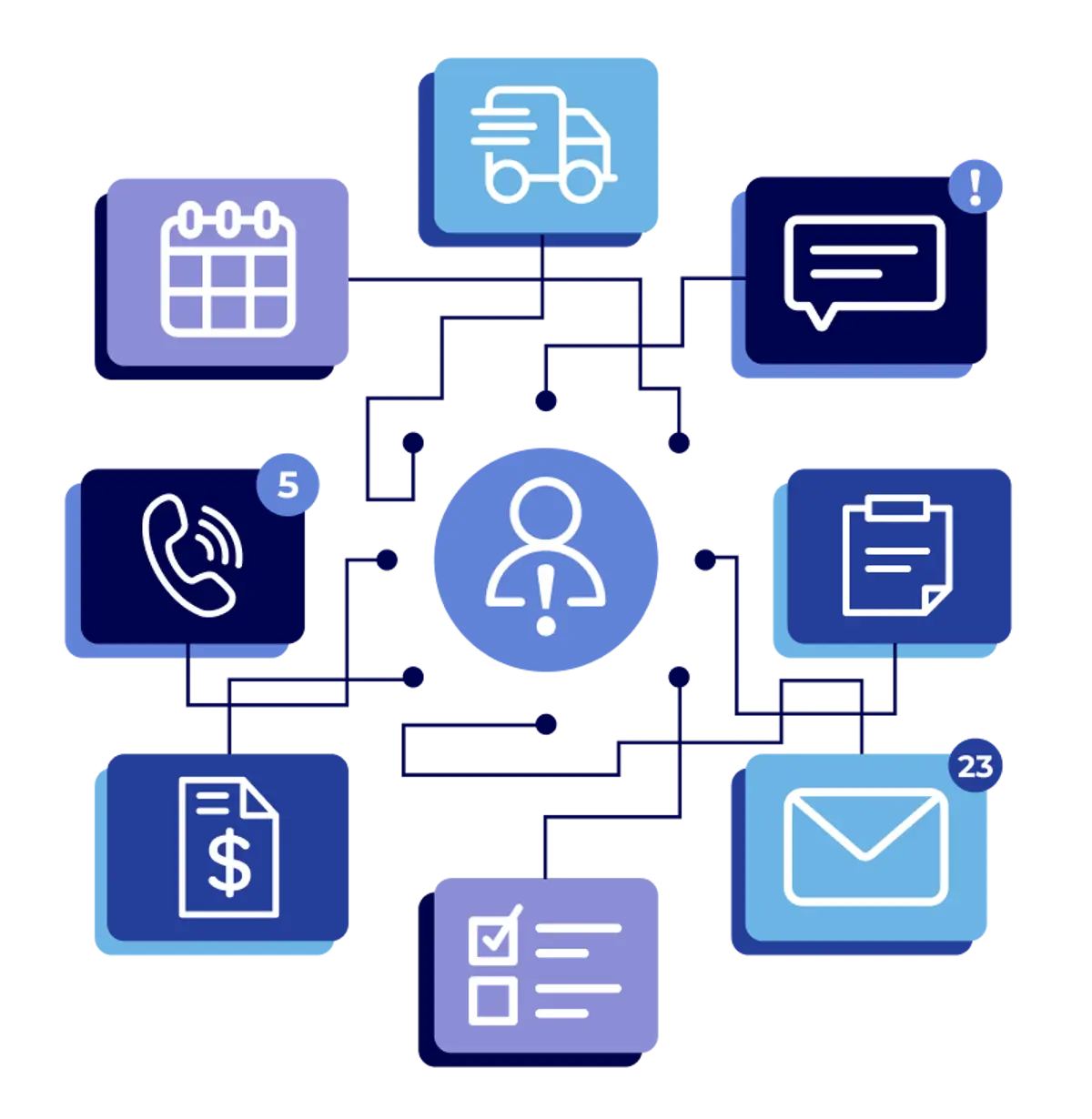
Every job your business runs gets done twice. Once in the field, where the tech does the actual work. And a second time in the office, where someone has to reconstruct what happened — track down the photos, re-enter the job details, piece together the paperwork, and chase down everything needed to close it out. The field job takes a few hours. The office job stretches across the rest of the day, sometimes spilling into the next one. That second job is the Double-Job Tax. It's invisible on a P&L, but it shows up everywhere else — in late invoices, in your admin's backlog, in the hours you spend at your desk after the trucks are parked. The bigger the business gets, the more of it there is — which is why growth feels like it's working against you.

Testing
Think about the last service call or maintenance visit your team ran. The tech showed up, did the work, and drove to the next stop. From where you sit, that's a closed job. Back at the office, it's a different story. Finding it in the calendar is just the start. The tech's notes need cross-referencing — if there are any. The customer has been waiting for a callback. The photos aren't in the system, so someone texts the tech, waits, and digs through the group chat to find the right ones. By the time everything is entered into QuickBooks, the job finished three days ago, and the invoice still hasn't gone out. All of that re-creating, re-entering, and reconstructing work the field already did — that's the Double-Job Tax at work. It costs you real hours, real delays, and real revenue every single week — and none of it shows up on a P&L.
Your Business Is Running Every Job Twice
Think about the last service call or maintenance visit your team ran. The tech showed up, did the work, and drove to the next stop. From where you sit, that's a closed job. Back at the office, it's a different story. Finding it in the calendar is just the start. The tech's notes need cross-referencing — if there are any. The customer has been waiting for a callback. The photos aren't in the system, so someone texts the tech, waits, and digs through the group chat to find the right ones. By the time everything is entered into QuickBooks, the job finished three days ago, and the invoice still hasn't gone out. All of that re-creating, re-entering, and reconstructing work the field already did — that's the Double-Job Tax at work. It costs you real hours, real delays, and real revenue every single week — and none of it shows up on a P&L.
INTAKE & SCHEDULING
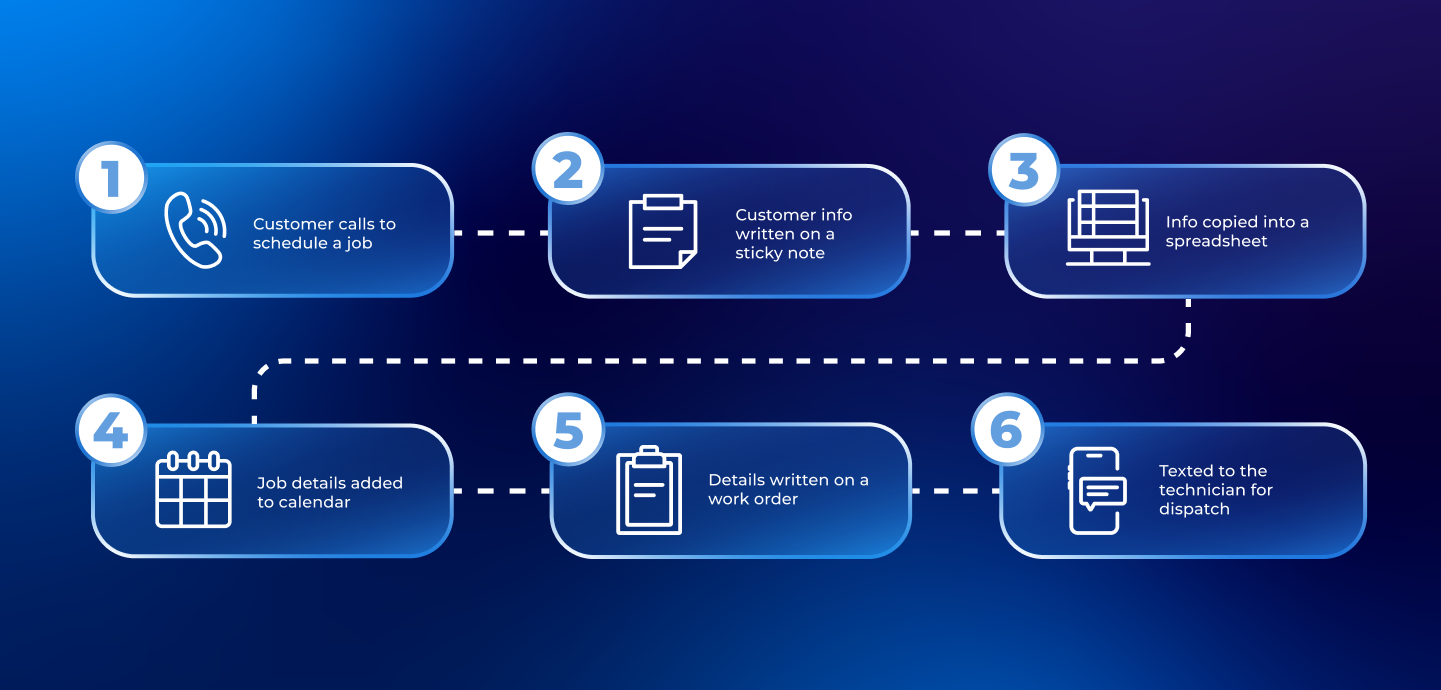
The Relay Runner: Where the Double-Job Tax Starts
'%20stroke-width='2'%20stroke-dasharray='10%2010'/%3e%3cdefs%3e%3clinearGradient%20id='paint0_linear_8026_986'%20x1='373.5'%20y1='-283.983'%20x2='373.5'%20y2='1736.02'%20gradientUnits='userSpaceOnUse'%3e%3cstop%20stop-color='%2300034D'/%3e%3cstop%20offset='0.508708'%20stop-color='%2300034D'%20stop-opacity='0.7'/%3e%3cstop%20offset='0.80485'%20stop-color='%2300034D'%20stop-opacity='0.4'/%3e%3cstop%20offset='1'%20stop-color='%23D5DFF7'/%3e%3c/linearGradient%3e%3c/defs%3e%3c/svg%3e)
INTAKE & SCHEDULING
The Admin as Relay Runner
'%20stroke-width='2'%20stroke-dasharray='10%2010'/%3e%3cdefs%3e%3clinearGradient%20id='paint0_linear_8026_988'%20x1='373.5'%20y1='-1028'%20x2='373.5'%20y2='992.001'%20gradientUnits='userSpaceOnUse'%3e%3cstop%20stop-color='%2300034D'/%3e%3cstop%20offset='0.508708'%20stop-color='%2300034D'%20stop-opacity='0.7'/%3e%3cstop%20offset='0.80485'%20stop-color='%2300034D'%20stop-opacity='0.4'/%3e%3cstop%20offset='1'%20stop-color='%23D5DFF7'/%3e%3c/linearGradient%3e%3c/defs%3e%3c/svg%3e)
FIELD VISIBILITY
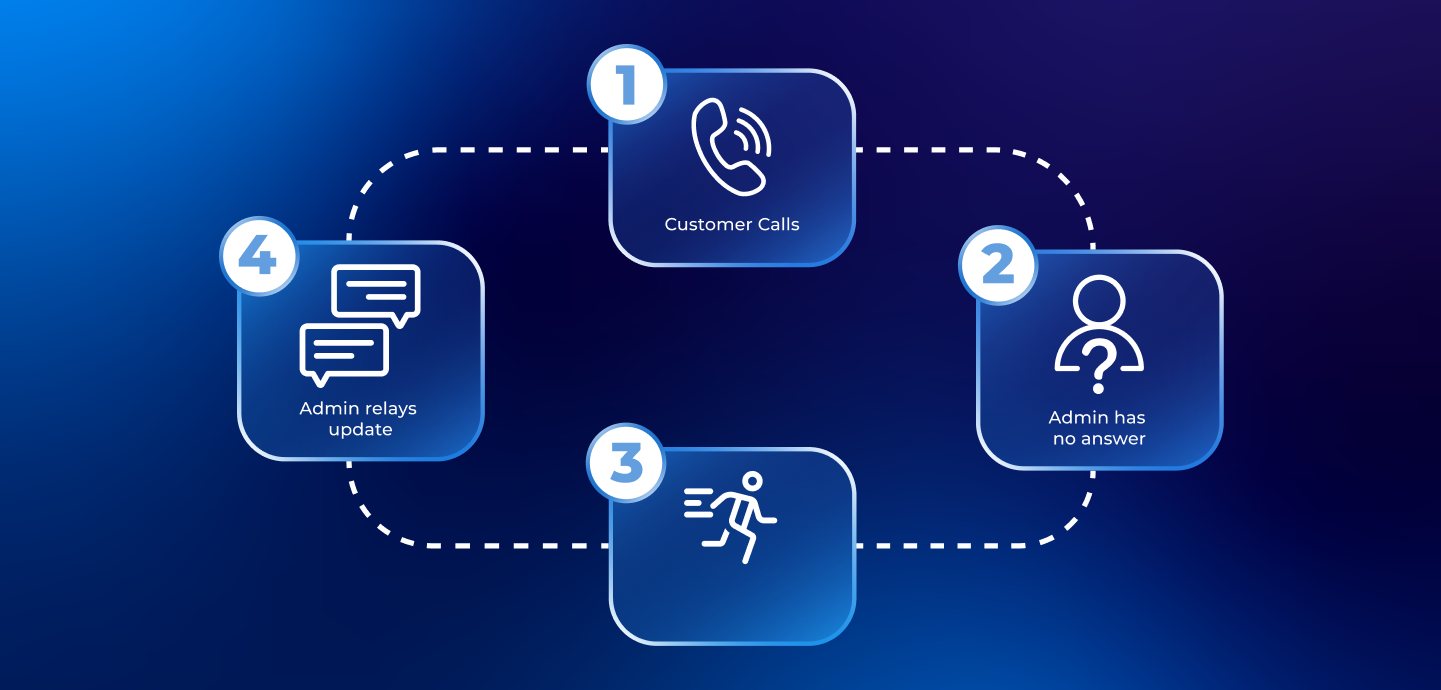
The Status Chase: When the Office Goes Dark
'%20stroke-width='2'%20stroke-dasharray='10%2010'/%3e%3cdefs%3e%3clinearGradient%20id='paint0_linear_8027_988'%20x1='-2.00008'%20y1='-1873.5'%20x2='-2.00004'%20y2='146.5'%20gradientUnits='userSpaceOnUse'%3e%3cstop%20stop-color='%2300034D'/%3e%3cstop%20offset='0.508708'%20stop-color='%2300034D'%20stop-opacity='0.7'/%3e%3cstop%20offset='0.80485'%20stop-color='%2300034D'%20stop-opacity='0.4'/%3e%3cstop%20offset='1'%20stop-color='%23D5DFF7'/%3e%3c/linearGradient%3e%3c/defs%3e%3c/svg%3e)
FIELD VISIBILITY
The Office Goes Dark
INVOICING & CLOSE-OUT
Documentation Safari: Why the Invoice Is Always Late
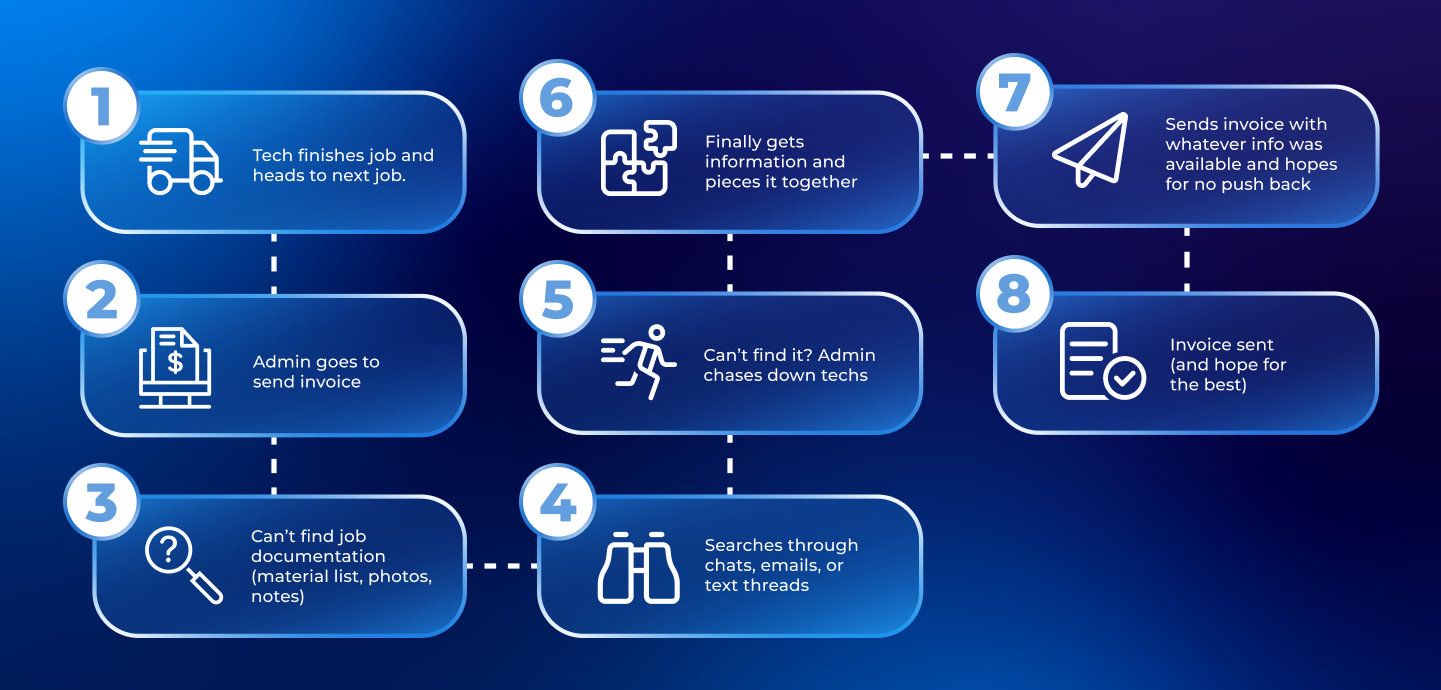
INVOICING & CLOSE-OUT
The Rework Was Created Before Anyone Touched the File
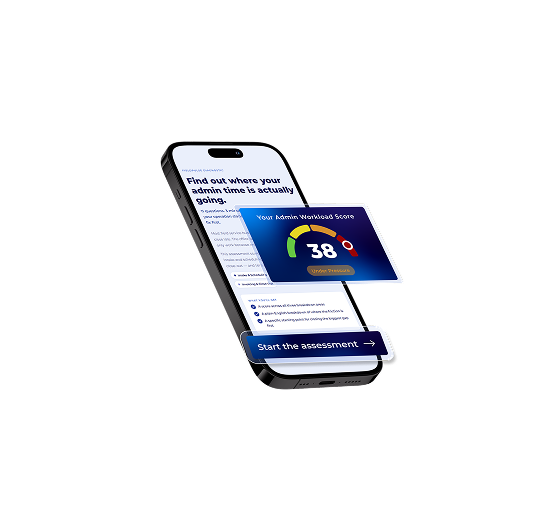
What's Your Admin Workload Score?
The Admin Workload Score tells you in three minutes how much of your team's time is disappearing into rework and where it's leaking. Answer 11 questions about how your office runs and you'll get a score, a tier, and a specific fix for your biggest leak sent straight to your inbox.