Our Platform


















Our Products
Maverick
Included on every plan.
Operator AI
Capture leads and book jobs with AI.
ClearPath
Design every workflow and ensure your team sticks to it.
Custom Forms
Stop hunting for paperwork with digital forms.
Pricebook
Build custom Pricebooks to boost your sales.
Engage
All your communication in one place.
Fleet Tracking
Monitor your fleet from one dashboard.
By Industry
By Segments

Learn
Connect
Discover
Our Mission
We’re here to ensure all trade service businesses have the tools they need to succeed.

About Us
Sales +1 (817) 635-2218 Customer Support (469) 382-5668


'%3e%3cmask%20id='mask0_2841_51013'%20style='mask-type:alpha'%20maskUnits='userSpaceOnUse'%20x='0'%20y='79'%20width='1440'%20height='801'%3e%3cline%20x1='165.75'%20y1='80'%20x2='165.75'%20y2='880'%20stroke='white'/%3e%3cline%20x1='324.25'%20y1='80'%20x2='324.25'%20y2='880'%20stroke='white'/%3e%3cline%20x1='482.75'%20y1='80'%20x2='482.75'%20y2='880'%20stroke='white'/%3e%3cline%20x1='641.25'%20y1='80'%20x2='641.25'%20y2='880'%20stroke='white'/%3e%3cline%20x1='799.75'%20y1='80'%20x2='799.75'%20y2='880'%20stroke='white'/%3e%3cline%20x1='958.25'%20y1='80'%20x2='958.25'%20y2='880'%20stroke='white'/%3e%3cline%20x1='1116.75'%20y1='80'%20x2='1116.75'%20y2='880'%20stroke='white'/%3e%3cline%20x1='1275.25'%20y1='80'%20x2='1275.25'%20y2='880'%20stroke='white'/%3e%3cline%20y1='80.2139'%20x2='1440'%20y2='80.2139'%20stroke='white'/%3e%3cline%20y1='152.812'%20x2='1440'%20y2='152.812'%20stroke='white'/%3e%3cline%20y1='225.409'%20x2='1440'%20y2='225.409'%20stroke='white'/%3e%3cline%20y1='298.006'%20x2='1440'%20y2='298.006'%20stroke='white'/%3e%3cline%20y1='370.604'%20x2='1440'%20y2='370.604'%20stroke='white'/%3e%3cline%20y1='443.201'%20x2='1440'%20y2='443.201'%20stroke='white'/%3e%3cline%20y1='515.799'%20x2='1440'%20y2='515.799'%20stroke='white'/%3e%3cline%20y1='588.396'%20x2='1440'%20y2='588.396'%20stroke='white'/%3e%3cline%20y1='660.994'%20x2='1440'%20y2='660.994'%20stroke='white'/%3e%3cline%20y1='733.591'%20x2='1440'%20y2='733.591'%20stroke='white'/%3e%3c/mask%3e%3cg%20mask='url(%23mask0_2841_51013)'%3e%3cg%20filter='url(%23filter0_f_2841_51013)'%3e%3cpath%20d='M1535.5%20305.5C1666.22%20658.267%20909.36%201185%20575.503%201185C241.645%201185%20-54.5%20989.103%20-54.5%20752.5C-54.5%20515.897%20222%20573.5%20616.5%20439.5C950.358%20439.5%201426%2010%201535.5%20305.5Z'%20fill='%23E4E4F0'/%3e%3c/g%3e%3c/g%3e%3ccircle%20cx='521'%20cy='598'%20r='3'%20fill='%2300034D'/%3e%3ccircle%20cx='318'%20cy='739'%20r='3'%20fill='%2300034D'/%3e%3ccircle%20cx='117'%20cy='668'%20r='3'%20fill='%2300034D'/%3e%3c/g%3e%3cdefs%3e%3cfilter%20id='filter0_f_2841_51013'%20x='-134.5'%20y='121.728'%20width='1765.01'%20height='1143.27'%20filterUnits='userSpaceOnUse'%20color-interpolation-filters='sRGB'%3e%3cfeFlood%20flood-opacity='0'%20result='BackgroundImageFix'/%3e%3cfeBlend%20mode='normal'%20in='SourceGraphic'%20in2='BackgroundImageFix'%20result='shape'/%3e%3cfeGaussianBlur%20stdDeviation='40'%20result='effect1_foregroundBlur_2841_51013'/%3e%3c/filter%3e%3cclipPath%20id='clip0_2841_51013'%3e%3crect%20width='1440'%20height='800'%20fill='white'/%3e%3c/clipPath%3e%3c/defs%3e%3c/svg%3e)
FieldPulse vs. Housecall Pro
Housecall Pro and FieldPulse are both field service management software, but they are built for businesses with different needs. Housecall Pro gives small teams and solo operators just starting out a straightforward way to move beyond pen and paper, while FieldPulse is built for growing teams that need more control over workflows, reporting, and accounting as things get more complex. This comparison breaks down features, integrations, and customer reviews to help you decide which platform fits how your business operates today and where it is headed next.

 | Housecall Pro | |
|---|---|---|
GETTING STARTED | ||
| Guided Onboarding | ✔ | ✔ |
CUSTOMER MANAGEMENT | ||
| ✔ | ✔ | |
| ✔ | ✔ | |
| ✔ | ✔ | |
| ✔ | ✔ | |
| ✔ | ✔ | |
| ✔ | ✔ | |
| ✔ | ✔ | |
IN THE OFFICE | ||
| ✔ | ✔ | |
| ✔ | ✔ | |
| ✔ | ✔ | |
| ✔ | Limited | |
| ✔ | Limited | |
| ✔ | ||
BUSINESS MANAGEMENT | ||
| ✔ | ✔ | |
| ✔ | Limited | |
| ✔ | ✔ | |
| ✔ | ||
| ✔ | ✔ | |
| ✔ | ✔ | |
IN THE FIELD | ||
| ✔ | ✔ | |
| ✔ | ✔ | |
| ✔ | ✔ | |
| ✔ | ✔ | |
| ✔ | ✔ | |
| ✔ | Limited | |
| ✔ | Limited | |
| ✔ | Limited | |
Ready to learn more?Get A Demo | ||
Real Reasons Teams Chose FieldPulse
Established in 2015 and trusted by thousands of field service companies.














What Sets FieldPulse Apart
Build Workflows That Scale With Your Team
- Create different workflows for service calls, installations, maintenance, and other job types
- Require photos, forms, materials, and other details at each stage, so nothing gets missed
- Give every technician a clear, repeatable process as you add techs, trucks, and locations

Run Every Job in One Place
- Customers, invoices, estimates, and payments sync automatically between FieldPulse and QuickBooks
- Manage the entire job in FieldPulse, from first call to final invoice
- Keep your books updated in real time, without wasting time on double entry

Support That Goes Beyond Setup
- Top-rated customer service sentiment among FSMs on Capterra, G2, and other review sites.
- U.S.-based support team located in Dallas, TX
- Easy access to help via phone, email, or live chat

Switching Is Easier Than It Looks
Bring your business data with you.
Get help setting up FieldPulse to work for your business.
Keep getting support after onboarding.
Explore FieldPulse
More Comparisons and Guides

Housecall Pro Alternatives: Why FieldPulse is the Best Choice for Growing Service Businesses

ServiceTitan vs Housecall Pro: Reviewed & Compared (2026)

Housecall Pro vs Jobber: 2026 Comparison (Features, Pricing & Reviews)

Housecall Pro vs Service Fusion: Real Differences That Matter for Field Teams

8 Best Field Service Management Software for Small Businesses in 2026

8 Best Field Service Management Software Compatible With QuickBooks
FAQs
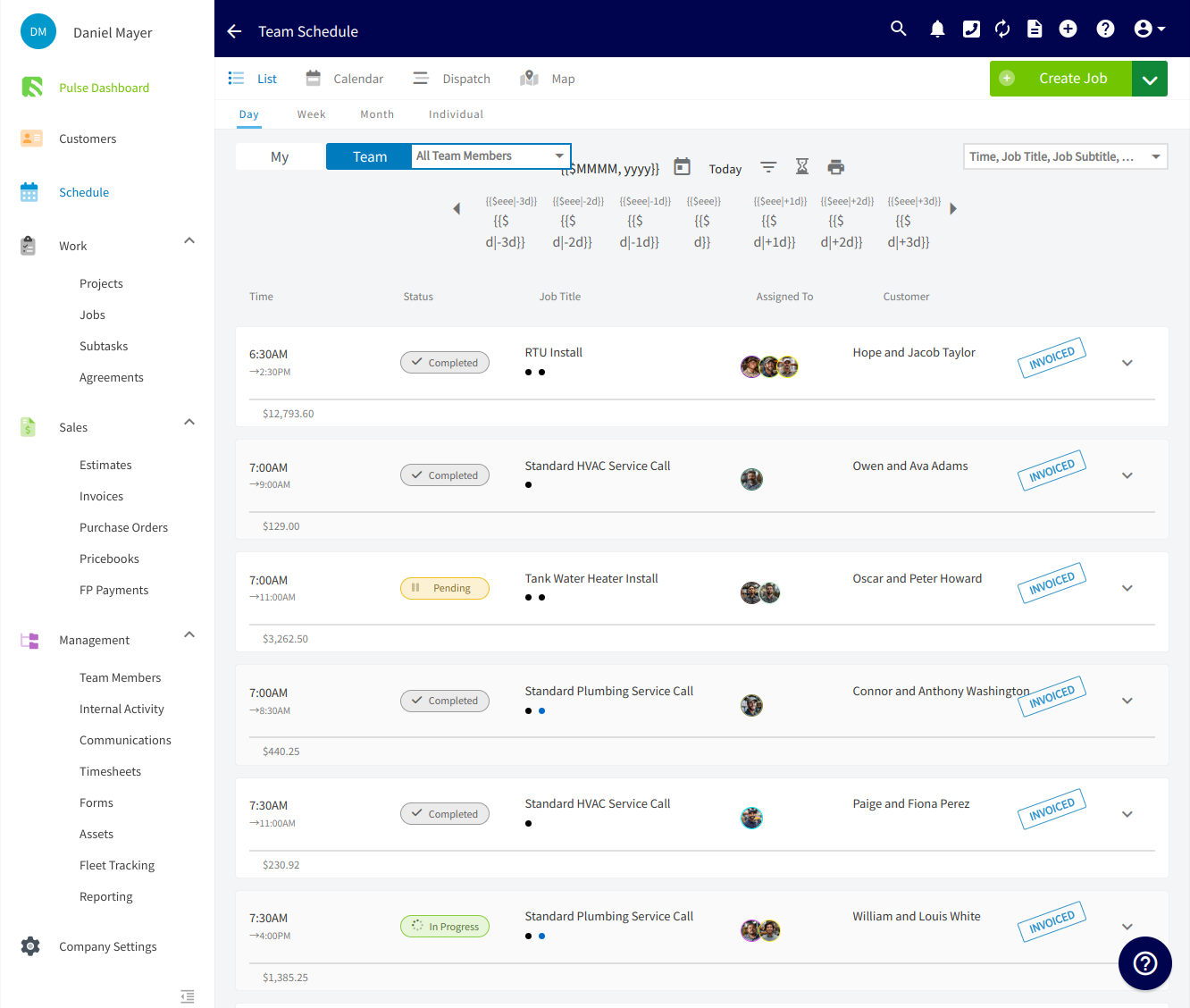
Since FieldPulse's workflows and customization options adapt to how each business actually operates, it supports a wide range of trades, like HVAC, garage door, and plumbing. It's built to help teams of 3 to 100 employees improve operational efficiency in the field and the office.
Ready to get started?
Schedule a free demo with our team and see how FieldPulse can take your business further.