












Key Takeaways
-
HVAC service dispatch breaks when information does not travel with the job across five critical handoffs: call intake, assignment, field execution, closeout, and invoicing.
-
Each handoff creates revenue risk, including missed calls, double-bookings, incomplete job data, late invoices, and uncollected cash, unless the workflow stays connected.
-
Dispatch software with live technician locations, drag-and-drop rescheduling, and automated status updates keeps your office and field aligned when the day changes.
-
Teams moving from five to fifteen trucks outgrow spreadsheets and free tools. The same manual coordination that worked at five trucks creates missed handoffs and SLA breaches at fifteen.
-
FieldPulse connects your entire HVAC workflow from first call to final payment, eliminates re-entry, and gives office teams an average of 40+ hours back each month.
What HVAC Dispatch Software Actually Does
HVAC dispatch software connects your office and your field around one current view of the day. Everyone sees who is going where, what they need to know, and what happens when the schedule changes.
A basic scheduling app places jobs on a calendar. Dispatch software manages what happens when the day changes, such as moving a 10 a.m. job when a no-cool emergency comes in at 9:40, updating the affected customer, and making sure the tech has what they need. That requires live technician locations, real-time job status, and a board your office can act on in the moment.
The Five Handoffs in an HVAC Dispatch Day
Every HVAC dispatch day moves through five handoffs. Each one can break your process or keep it connected.
1. Call Intake
The required action is to answer every call, capture the job details, and create a record. Your dispatcher or office administrator owns this step.
What breaks: An emergency call comes in while your dispatcher is already on the phone. An after-hours call goes to voicemail. A web form sits unread until someone checks it. Revenue walks away quietly.
How a connected workflow changes it: Operator AI (add-on) answers after-hours, declined, and overflow calls, books the job directly onto the dispatch board, and creates the customer and job records with detailed call notes. It speaks English and Spanish with auto-translated transcripts, so language barriers do not block jobs.
2. Assignment
The required action is to match the right technician to the right job based on skill, location, and availability. Your dispatcher is responsible.
What breaks: When the schedule lives in a spreadsheet and side conversations, you lose a live view of where your techs are. That leads to sending whoever is free instead of whoever is qualified. Double-bookings and idle travel time follow.
How a connected workflow changes it: Drag-and-drop scheduling with live technician locations puts the right technician on the right call. ClearPath status workflows push job progress to your office automatically, so your dispatcher does not run a phone tree just to find out where everyone is.

3. Field Execution
The required action is for your tech to arrive with full context, including equipment history, prior notes, and site access details. The technician owns this step, supported by your office.
What breaks: A tech arrives without the equipment history, the gate code, or the prior job notes. They call your office to ask what the customer’s system looked like last time. First-time fix rates drop, and customers repeat themselves.
How a connected workflow changes it: One customer and job record keeps your whole team aligned. ClearPath’s Mobile Focus View shows only what the current job stage requires, with checklists and Action Buttons that complete common tasks in a single tap. Your techs take fewer steps, remember less, and new hires ramp faster.

4. Closeout
The required action is to capture job details in the field and send them to your office as the work happens. The technician is responsible.
What breaks: Parts, labor, notes, and photos do not reach your office in time. Your office chases the last ticket of the day so an invoice can go out. Invoices go out late or never go out at all.
How a connected workflow changes it: The job record carries parts, labor, notes, photos, and signatures from the field to your office as the work happens. ClearPath status workflows push job progress automatically instead of by phone call. Closeout becomes part of doing the job, not a separate task at the end.

5. Invoicing
The required action is to convert the completed job to an invoice and collect payment. Your office administrator owns this step, with tech support for on-site collection.
What breaks: Some jobs never become invoices, and the cash they represent sits uncollected. The longer an invoice takes to send, the longer that cash takes to arrive.
How a connected workflow changes it: The job record converts to an invoice without re-entry. Your techs can invoice and collect card or ACH payment on site. Next-Day Funding puts card and validated ACH money in your account the next business day.

See How FieldPulse Connects Your Office and Field
How Dispatch Changes As You Grow From 5 to 15 Trucks
At five technicians, memory still covers most gaps. The owner stays close enough to every job that a quick call or text fixes issues. Your dispatcher can hold the day in their head, and that feels workable.
At ten to fifteen technicians, growth outpaces your process. Memory stops covering the gaps. Every gap turns into a phone call, a lost hour, or an invoice that never went out. Dispatch becomes a throughput bottleneck. Schedules, territories, and skill constraints are scattered across texts and spreadsheets, so work cannot be allocated well. The same manual coordination that felt manageable at five trucks creates missed handoffs, idle travel time, and SLA breaches at fifteen.
This transition is where dispatch breaks operationally. FieldPulse is built for teams in the 7-to-50-technician range, the businesses that have outgrown simple tools but do not need enterprise-grade complexity.
The table below shows which capabilities you lose as you move from manual dispatch to a free scheduling app, and which ones FieldPulse restores.
|
Capability |
Manual Dispatch |
Free Scheduling App |
FieldPulse |
|---|---|---|---|
|
Drag-and-drop scheduling |
No |
Limited |
Yes |
|
Live technician locations |
No |
No |
Yes |
|
Equipment history by address |
No |
No |
Yes |
|
Automated arrival texts |
No |
Limited |
Yes |
|
Two-way QuickBooks sync |
No |
No |
Yes |
|
Custom workflow stages |
No |
No |
Yes (ClearPath) |
The Dispatcher’s Day With and Without a Connected Workflow
If you run the board, this section speaks directly to you. You feel every gap in your process first.
Your day right now probably looks like this:
-
Calls, texts, and emails scattered across channels, with details dropped between them
-
A schedule that lives in a spreadsheet plus a series of side conversations
-
No live view of where anyone is without calling them
-
Every job effectively done twice, once in the field and once in your office when you reconstruct it for the invoice
-
Chasing the last job ticket of the day so an invoice can go out before you leave
Here is what changes with a connected workflow:
-
One customer and job record your whole team works from, so you can answer a customer’s question without interrupting a tech
-
Drag-and-drop scheduling with live technician locations, so you see the board and the map at the same time
-
ClearPath status workflows that push job progress to your office automatically and trigger customer messages like an “On the Way” text at the right stage
-
A two-way QuickBooks Online sync, so a correction made in the books carries back into FieldPulse instead of being overwritten
That is the 40+ hours a month mentioned earlier, time your team gets back for actual service delivery.
If you want to see where your administrative load is heaviest before you book a demo, take the Admin Workload Assessment. It takes about three minutes.
Take the Admin Workload Assessment.
Emergency and Same-Day Call Handling
Even a well-organized dispatcher’s day gets tested the moment an emergency request comes in at 2:47 PM and your board is already full. Follow a five-step emergency protocol: validate severity, identify the right technician, decide which existing commitment moves, notify every affected customer and technician, and document the decision. That creates a heavy manual load when you manage it by phone and text.
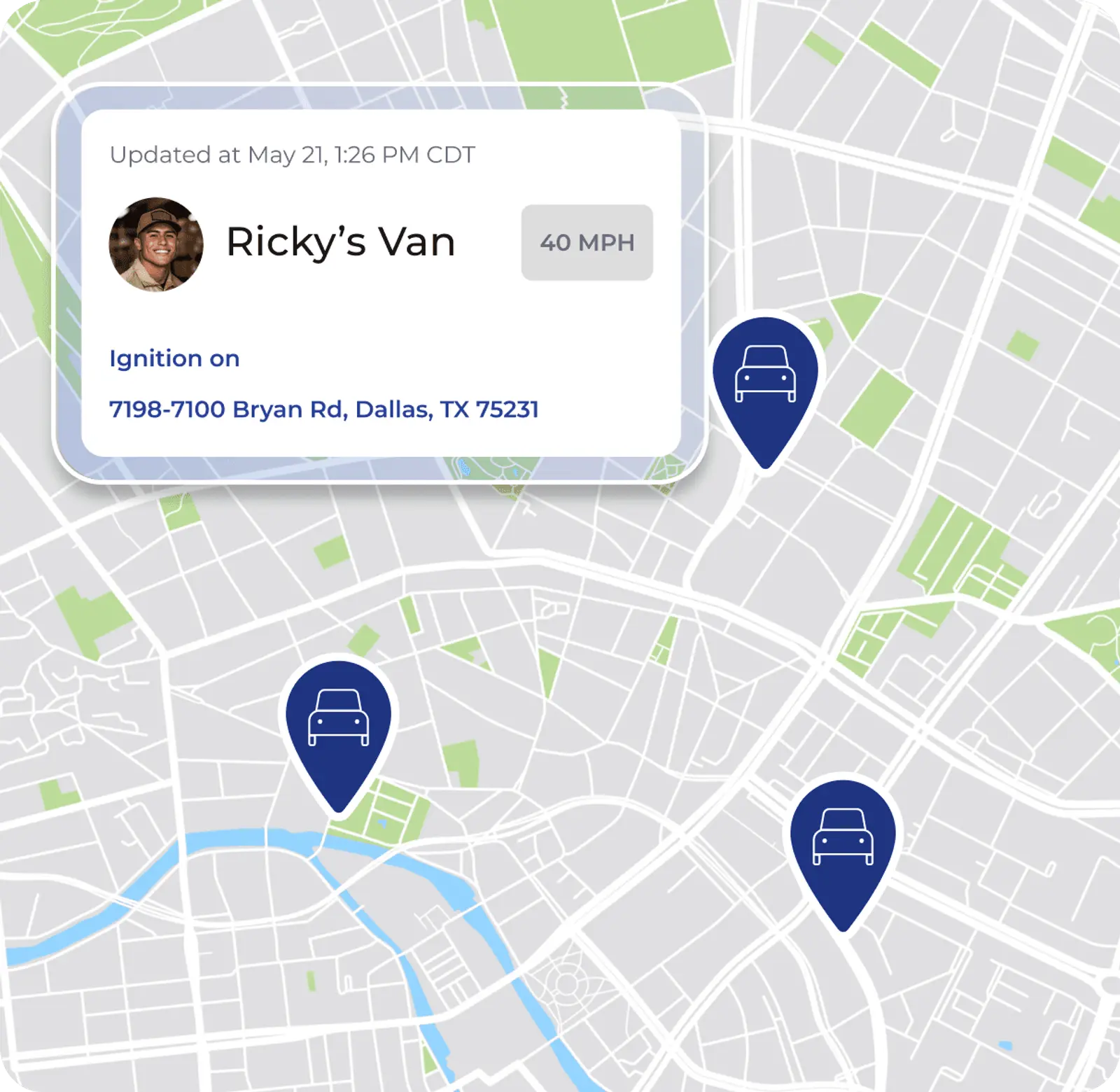
With drag-and-drop rescheduling and live technician locations, you can slot the emergency, move the displaced job, and trigger automated customer notifications from the dispatch board. You do not rebuild the day through phone calls, and affected customers get updated automatically when their window changes.
For after-hours and overflow calls, Operator AI (add-on) answers every call, asks qualifying follow-up questions, and books the job directly onto the dispatch board. It creates the customer and job records with detailed call notes right after the caller hangs up. A missed call usually means a lost job with no record it ever happened. Operator AI closes that gap. It speaks English and Spanish, so a Spanish-speaking homeowner with a midnight no-heat emergency gets the same quality intake as any other caller.
What to Look for in HVAC Dispatch Software
Use these questions with every vendor you evaluate. The answers reveal how well each option will support your team.
-
Can you drag and drop to reschedule, and does the change update everyone affected?
-
Can you see where every technician is right now?
-
Does the equipment history live by address, so a technician arrives knowing what is there?
-
Do arrival texts go out automatically, or does someone have to remember to send them?
-
Does it sync with QuickBooks, and when your admin corrects something in QuickBooks Online, how does that fix get back into your field service software?
-
Can you customize the workflow to match how your business actually runs?
That last question matters more than most buyers realize. A connected dispatch workflow makes sure your process travels with every job, from the first call to the final payment, not just that jobs appear on a calendar.
Why Free Dispatch Software Stops Working at Scale
Free tools work until your business needs inventory, permissions, multi-stage workflows, or real profit margin visibility. After that point, they stop supporting your growth. Free or near-free tiers are designed around headcount or job limits, so the practical question is how soon you cross the line where the tool cannot carry what your business needs.
The operational features that fail first when a dispatch tool is stretched beyond a small crew include:
-
Drag-and-drop scheduling with live technician locations
-
Assignment that puts the right technician on the right call
-
Customer-facing visibility and automated notifications
-
Job-to-invoice conversion without re-entry
-
Reporting on first-time fix rate and technician utilization
-
Permissions that let people access what they need without routing everything through one person
When manual coordination, disconnected systems, and limited field visibility start taking time away from service delivery, your current tool has reached its limit. The only question left is when to move.
How Dispatch Connects to Invoicing and Cash Flow
The job that does not get invoiced is the job that does not get paid. Every handoff between dispatch and invoicing is a place where revenue can stall.
When the job record carries parts, labor, notes, photos, and signatures from the field to your office as the work happens, the invoice does not require reconstruction. It converts directly from the completed job with no re-entry and no chasing the technician for details. Your techs can invoice and collect card or ACH payment on site, so cash does not wait for a billing cycle. Next-Day Funding puts card and validated ACH money in your account the next business day.
Fair Comfort Solutions (HVAC, founded 2021) saw this directly. Owner Sal Gutierrez described his quoting process before FieldPulse: “A pen and paper took me about, on average, four to eight hours for one quote.” With the Reece HVAC pricebook pre-built in FieldPulse, that dropped to four to eight minutes, a 98% reduction in estimate creation time. The time he got back went into training an apprentice and answering calls from new customers.
Top Notch Heat and Air (HVAC-R, Michigan) saved 4–6 hours weekly and reported a 15% revenue increase (asterisked on FieldPulse’s published case study) after moving to FieldPulse. Their IT Director, Jamisen Both, described the shift: “Field Pulse has made our day to day operations much more organized and thorough. It enables our techs and office staff to communicate better with each other and with our customers. It has also made dispatching, invoicing, and estimates, all much easier to create and follow up on.”
For HVAC teams beyond five trucks, job costing ties the financial picture together. You know a job’s expected profit margin before you dispatch it, and you confirm actual profit after completion. Per-job profit and loss reports break down cost, price, and profit by category. Because your techs clock in against the job itself, labor hours tie to specific work rather than a weekly total, which makes job-level profitability visible at all.
Get a Demo. See How FieldPulse Connects Your Office and Your Field in One Workflow.
Frequently Asked Questions About HVAC Dispatch Software
How Long Does Implementation Take?
Onboarding typically runs two to six weeks, depending on your team size, which capabilities you turn on, how much data has to migrate, and how your accounting setup is handled. The rollout follows clear phases so your team can absorb each step.
-
Configure the foundation and core settings.
-
Move data and connect QuickBooks Online.
-
Train each role on the parts they will use.
An implementation manager runs recurring working sessions with you and assigns small tasks between sessions so your team can practice. RDI described their approach as ripping band-aids off one at a time instead of all at once, which made the change stick.
Will My Techs Actually Use the Mobile App?
ClearPath’s Mobile Focus View keeps the mobile experience simple for your techs. They see a short, ordered list for the current job stage instead of a full application to navigate. RDI’s field crew had used manual time cards for thirty years and was running payroll off the app within two weeks, even though the team expected six months to get adoption.
The FieldPulse mobile app is also available in Spanish. Spanish-speaking techs can follow the same jobs and the same workflow stages as the rest of the crew in the language they use most comfortably. The FieldPulse team enables that per user.
Does FieldPulse Work with QuickBooks?
FieldPulse has a two-way QuickBooks Online sync. Customers, line items, estimates, invoices, payments, purchase orders with full line-item detail, and vendors sync in both directions. Timesheets flow into QuickBooks Online when a technician clocks out. Tax rates come from QuickBooks Online, and invoice numbering can follow your existing sequence.
FieldPulse works with QuickBooks Online Essentials, Plus, and Advanced in the US, Canada, and Australia. QuickBooks Desktop is also supported. When you compare platforms, ask how each one handles corrections from QuickBooks Online so you can catch sync errors early instead of trying to untangle them once dozens of invoices are affected.


