











Key Takeaways
-
Growing plumbing businesses face four predictable workflow problems: missed after-hours calls, pricebook drift, invoice lag, and double entry between your field and QuickBooks.
-
After-hours emergency dispatch keeps those calls from going to voicemail, and Operator AI books jobs 24/7 so more callers become customers.
-
A maintained flat-rate pricebook keeps every tech quoting the same job at the same price, which protects the margin advantage flat-rate shops achieve.
-
Maintenance agreements and two-way QuickBooks sync put recurring revenue on autopilot and remove the weekly re-entry of invoice data.
-
FieldPulse is built for plumbing teams in the 7-to-50-technician range, connecting your office and your field on one workflow that closes these gaps.
See how FieldPulse closes the gaps at your size
What Breaks As Your Plumbing Team Grows
Growth breaks a plumbing business in stages, and your crew size determines which problem shows up first.
1–3 trucks: You stay close enough to every job that memory covers the gaps. You know what each tech quoted, what parts they used, and what is still open. Lightweight tools built for solo operators handle this stage well. One-person operations usually have better options than a full FSM software platform.
4–10 trucks: Memory stops covering the gaps. Missed after-hours emergency calls, pricebook drift between techs, and invoices that lag behind completed work start costing real money. Invoice lag alone, such as jobs completed Thursday and invoiced Monday, can leave tens of thousands of dollars in already-earned revenue sitting uncollected. At this size, the cost of not having software becomes visible.
10+ trucks: The handoffs between your office and your field become the bottleneck. Inventory, permissions, multi-stage workflows, and job costing all arrive at once. A simpler tool stops holding your process together. You need a platform that carries the full job lifecycle, from scheduling through invoicing and beyond.
FieldPulse is built for plumbing teams in the 7-to-50-technician range. In that window, the four plumbing-specific failure points, missed emergency calls, pricebook drift, invoice lag, and double entry, cost real money and a structured platform pays for itself.
Emergency And After-Hours Dispatch For Plumbing
After-hours emergency dispatch is the most plumbing-specific requirement in field service software. A burst pipe at 11 PM does not wait.
The standard manual dispatch chain, where the call goes to voicemail, the dispatcher calls back in the morning, and the tech gets notified later, usually loses that job.
FieldPulse’s Operator AI (add-on) answers after-hours, declined, and overflow calls around the clock. It does more than take a message. It asks qualifying follow-up questions, books the job directly onto your dispatch board, and creates the customer and job records with detailed call notes before anyone in your office wakes up. Because it speaks both English and Spanish, it can handle the full range of callers in most plumbing markets. Operator AI won the NECA Innovator Award in 2025, and 95% of callers leave the call with a job scheduled.
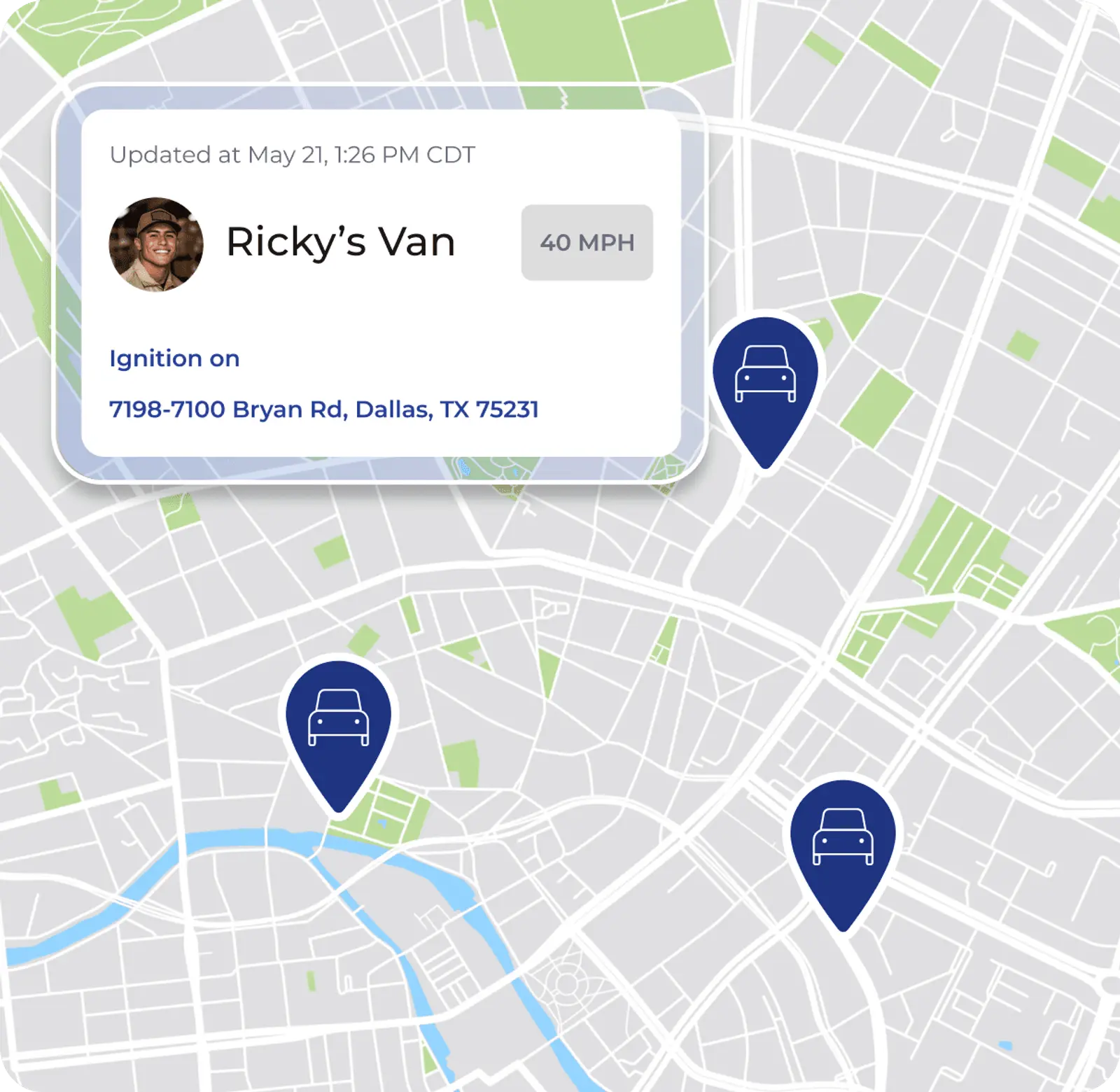
For daytime dispatch, FieldPulse’s scheduling and dispatch board gives your office live technician locations and drag-and-drop rescheduling. When an emergency request comes in mid-morning, you can see who is closest, move jobs, and notify affected customers without rebuilding the day through a chain of phone calls.

Flat-Rate Pricebook And Estimate Consistency
Two techs quoting the same water heater replacement at different prices signal a missing maintained pricebook, not a people problem. According to Level CFO’s review of over 1,000 contractors across HVAC, plumbing, electrical, and mechanical trades, flat-rate shops consistently run 15–25% higher gross margins on residential service work than time-and-materials shops. That advantage holds only when every tech quotes from the same numbers.
FieldPulse’s Pricebook is an add-on, separate from the core platform. It holds standard pricing for services, materials, and labor, and updates in real time across every user and location. Your techs build estimates in minutes by pulling directly from preset pricing, including good-better-best equipment options. Supplier catalogs like Reece Plumbing can come pre-built, so equipment pricing does not need to be looked up and retyped for every quote.
The result is simple. Two techs quoting the same water heater replacement give the same number every time.

Maintenance Agreements And Recurring Revenue
Water heater flushes, backflow testing, annual inspections, and commercial accounts turn into predictable recurring revenue when you run them through maintenance agreements. At top HVAC operators, maintenance plan customers carry a 3.2× higher lifetime value than non-agreement customers, according to MarginPlug’s 2026 analysis. Operator benchmarks put repair conversion rates from maintenance plan holders at roughly 70–90%, compared to about 30–50% on cold inbound calls from non-customers.
Most maintenance programs still depend on someone remembering. Agreements lapse. Visits get missed. Renewal opportunities pass unnoticed.
FieldPulse’s Maintenance Agreements (available on the Professional package) handle this automatically. Each item below maps to a common way maintenance programs usually fail:
-
Schedule visits automatically from your contract terms so no one forgets to book them.
-
Generate recurring invoices without manual effort so billing keeps up with the work.
-
Send reminders to customers and techs ahead of scheduled visits so appointments stay on the calendar.
-
Flag contracts approaching renewal so your team can renew them before they slip away.
Your recurring-service program runs on the contract terms instead of someone’s memory.
Plumbing Invoicing And QuickBooks: Ending Double Entry
The double-entry tax looks like this in practice. Your tech completes a job, records the parts and labor, takes photos, and gets a signature. Then your office re-enters all of it, the parts, the labor, and the customer record, into QuickBooks. The work happens twice. That second pass grows with job volume and is the first thing that breaks operationally when you add trucks.
According to FieldProMax’s conversations with operators, owners of typical 5-to-20-technician field service shops without QuickBooks integration frequently report spending around eight hours per week re-entering invoices, payments, and job-cost data into QuickBooks. That pattern is anecdotal rather than a measured statistic. When the bookkeeper corrects something in QuickBooks, such as a customer address or an adjusted invoice, that fix often gets overwritten the next time the field software pushes data over.
FieldPulse’s two-way QuickBooks Online sync is the specific thing to test. A change made in either system shows up in the other, so your office does not re-type what the field already entered. Customers, line items, estimates, invoices, payments, purchase orders with full line-item detail, and vendors sync in both directions. Timesheets flow into QuickBooks Online when a tech clocks out, and tax rates come from QuickBooks Online, which keeps what the customer is charged aligned with what your books expect. Invoice numbering can follow your existing sequence so your records stay continuous.
It works with QuickBooks Online Essentials, Plus, and Advanced in the US, Canada, and Australia. QuickBooks Desktop is also supported.
The diagnostic question worth asking every platform you evaluate is simple. When your bookkeeper corrects something in QuickBooks Online, how does that fix get back into your field software?
What Switching Field Service Software Actually Takes
Switching field service software takes real work, and planning for that work keeps the change on track.
Onboarding at FieldPulse typically runs two to six weeks. The timeline depends on your team size, which capabilities you enable, how much data has to migrate, and how your accounting setup is handled. The sequence looks like this:
-
Scope the work, including capabilities, data, accounting requirements, and business complexity.
-
Begin recurring working sessions with your implementation manager after signing.
-
Configure the foundation, including system preferences, templates, permissions, ClearPath, and the mobile workflow.
-
Move data and connect QuickBooks Online, which can extend the schedule.
-
Enable each role through working sessions, live classes, and self-service resources.
-
Transition to ongoing support once your team is live.
For plumbing businesses, the migration concerns worth planning for are pricebook data, service history, and recurring agreements. Active recurring agreements should be migrated first because losing those loses real revenue. Customer contact info and open invoices follow. Historical job data comes after.
Your existing QuickBooks Online customers and records come with you when you connect, so you are not rebuilding a customer list from scratch. The rollout is broken into phases with small tasks between sessions, which helps the change stick.
How Many Technicians Before You Need Field Service Software
If you are still unsure whether your team has crossed the threshold, use this self-assessment to find your starting point. Check each statement that applies to your business:
-
Truck count: You have 4 or more techs and someone other than you is dispatching, so memory has already stopped covering the gaps.
-
Job mix: You run both residential service calls and maintenance agreements, so you need a platform that handles recurring billing automatically instead of a simple scheduling tool.
-
QuickBooks: Your bookkeeper is re-entering invoice data from your field software into QuickBooks, so you are paying for that labor twice.
-
After-hours calls: Emergency requests come in after 5 PM and go to voicemail, so you lose jobs to competitors who answer.
-
Pricebook: Two techs can quote the same job at different prices, so your profit margin is unpredictable.
If two or more of these apply, you are past the point where a lighter tool covers the gaps. The real question becomes which platform fits your current size and where you are headed.
Best Field Service Software For Plumbing Contractors: The Shortlist
For plumbing teams in the 7-to-50-technician range, FieldPulse is usually the best fit. The shortlist below compares FieldPulse to both enterprise platforms and simpler tools so you can see where your team fits.
FieldPulse is built around ClearPath, included in the core platform. ClearPath turns your process into job stages, required actions at each stage, and a mobile view that shows your tech only what the current step needs. Around ClearPath sits the full job lifecycle, from scheduling and dispatch through estimates, invoicing, payments, and reporting. The two-way QuickBooks Online sync described above ties it back to your books.
FieldPulse holds a 4.8 out of 5 aggregate rating across G2, Capterra, the App Store, the Google Play Store, and other software-review sites. On average, FieldPulse customers report 25% gains in efficiency. Office teams save 40+ hours per month, field teams see a 50% increase in on-time delivery, and businesses add 16+ customers every month.
Qualified Plumbing LLC in Keaau, Hawaii, an 11-to-25-employee plumbing business, evaluated multiple platforms before choosing FieldPulse. Their office secretary Heather Aila put it plainly: “You folks had everything in one bundle for a great price. Competitors wanted you to add items à la carte for an additional price.” They saved 7–9 hours per week and increased revenue 23%.
How FieldPulse compares to the first two approaches:
ServiceTitan is built for large, enterprise-oriented operations. If you run a growing plumbing team that does not need that level of complexity and does not want the implementation timeline and overhead that comes with it, FieldPulse is usually the better fit. The onboarding sequence, the mobile workflow, and what happens when your office calls support are all worth seeing side by side.
Housecall Pro and Jobber are solid tools for smaller operations. When your workflows, inventory needs, accounting requirements, permissions structure, or job economics grow more demanding than a simpler tool can carry, you start to hit their limits. Businesses that need multi-stage workflows, real job costing, maintenance agreement automation, and a true two-way QuickBooks sync tend to outgrow them.
FieldPulse sits in the middle. It offers more structure than the simpler tools, but without the complexity and cost of the largest platforms. That is the gap it is built for.
Find out where your admin workload is heaviest and take the three-minute Admin Workload Assessment.
The Right Platform Connects Your Office And Your Field
Growth problems in a plumbing business show up as workflow problems first. What breaks at each size step, missed after-hours emergency calls, pricebook drift, invoice lag, and the double-entry tax between your field and QuickBooks, is exactly what field service software for plumbing contractors is built to fix.
For plumbing teams in the 7-to-50-technician range, FieldPulse connects your office and your field on one workflow. ClearPath supports consistent job execution, Operator AI captures after-hours calls, a maintained Pricebook keeps estimates consistent, Maintenance Agreements support recurring revenue, and a two-way QuickBooks Online sync ends double entry.
See how FieldPulse connects your office and your field on one workflow. Get a demo.
Frequently Asked Questions
How Do I Know If My Plumbing Business Is Ready For Field Service Software?
The clearest signal is when growth outpaces your current process. If you have four or more techs and someone other than you is dispatching, memory has stopped covering the gaps. Specific turning points include after-hours emergency calls going to voicemail, two techs quoting the same job at different prices, invoices sitting for days after a job closes, or your bookkeeper re-entering data from your field records into QuickBooks. Each of these is a workflow problem, not a staffing problem. Field service software addresses the structural cause, information living in too many disconnected places, instead of adding headcount to chase the gaps.
What Plumbing-Specific Features Should I Look For In Field Service Software?
Four capabilities matter most for plumbing operations. First, after-hours dispatch. Look for a platform that can answer calls and book jobs when your office is closed, rather than just taking a message. Second, a flat-rate pricebook. Your techs should be able to build an estimate from preset pricing in the field, with good-better-best equipment options, so two techs always quote the same job the same way. Third, maintenance agreement automation. Water heater flushes, backflow testing, and annual inspections should schedule automatically from contract terms, generate recurring invoices, and flag renewals without anyone remembering to do it. Fourth, a true two-way QuickBooks sync. Confirm that a correction made in QuickBooks flows back into your field software instead of only pushing data one way. If the sync is one-directional, your bookkeeper’s fixes get overwritten.
How Long Does It Take To Switch Field Service Software For A Plumbing Company?
The timeline depends on your team size, which capabilities you are enabling, how much data has to migrate, and how your accounting is set up. The variables that extend the timeline most are pricebook data, which rarely transfers cleanly and often needs to be rebuilt, service history, and recurring agreements. Recurring agreements should be migrated first because those represent real revenue. Your existing QuickBooks Online customers and records come with you when you connect, so you are not rebuilding a customer list from scratch. The rollout is broken into phases with an implementation manager running recurring working sessions, small tasks between sessions, and role-specific training before go-live. Faster launches happen, but you should plan against the real window.
Will My Techs Actually Use The Mobile App?
Technician adoption is the biggest predictor of whether a field service software implementation holds. The two most common reasons techs resist a new app are fear of complexity and fear of surveillance. On complexity, ClearPath’s Mobile Focus View shows your tech only what the current job stage requires, a short, ordered list with single-tap Action Buttons instead of a full application to navigate. New hires ramp up faster because the app guides them through your process rather than requiring them to learn the whole platform. On connectivity, techs can complete most of a job without cell signal in scenarios like rural areas, basements, or attics. They can view cached jobs, add notes and photos, update statuses, and clock in and out, with everything syncing when signal returns. Bring a tech into the demo and walk through a complete job workflow, including what happens when signal drops. That gives you a real test.
What Happens To My QuickBooks Data When I Switch To FieldPulse?
Your existing QuickBooks Online customers and records come with you when you connect, so you are not rebuilding a customer list in a second system. From that point, customers, line items, estimates, invoices, payments, purchase orders with full line-item detail, and vendors sync in both directions between FieldPulse and QuickBooks Online. Timesheets flow into QuickBooks Online when a tech clocks out. Tax rates come from QuickBooks Online, so what the customer is charged matches what your books expect. Invoice numbering can follow your existing QuickBooks Online sequence. It works with QuickBooks Online Essentials, Plus, and Advanced in the US, Canada, and Australia. QuickBooks Desktop is also supported. The key distinction is that this is a two-way sync. A correction your bookkeeper makes in QuickBooks carries back into FieldPulse instead of being overwritten.


