












Key Takeaways
-
A customer portal for service businesses is a secure, login-protected space where customers book service, approve estimates, pay invoices, view history, and message your office.
-
The portal reduces office work only when every customer action automatically updates the job, customer, and invoice record in your systems.
-
Portals that are not connected shift typing from customers to staff and create duplicate work instead of removing it.
-
Connected portals deliver measurable gains, including fewer status calls and less duplicate entry across your process.
-
FieldPulse connects its Customer Portal and Booking Portal directly to the same job record your team already uses, which eliminates manual handoffs and keeps every update in sync.
Website, Portal, and App: How They Differ
Your website, customer portal, and mobile app each play a different role in your process.
Website. Your website is public and open to anyone. It markets your business to people who have not hired you yet. A portal sits behind a login and shows one customer their own jobs, estimates, invoices, and equipment records. The difference is transactional: every action a customer takes in a portal writes back into your systems. A website page does not do that.
Customer portal. A portal is a web application reached through a browser. Your residential customer might log in only a few times a year from a laptop or phone browser to check a status, approve an estimate, or pay a balance. They complete those tasks without calling your office.
Mobile app. Your mobile app is for your techs. They use it every day in the field to see jobs, notes, and tasks. Asking customers to install an app for occasional use adds friction without improving the task. The portal is for your customers. The app is for your techs.
What Customers Actually Do in a Service Business Portal
A well-connected portal supports specific actions your customers already take today, just without extra calls or emails.
-
Book and reschedule service. An HVAC customer books a fall tune-up at 9pm and gets immediate confirmation. Your office does not take a call, and the booking lands on your dispatch board automatically.
-
View and approve estimates. A plumbing customer opens a repipe estimate, reviews the line items, and approves it from their phone. That approval updates the job status without a phone call.
-
Pay invoices and deposits. A garage door customer pays a deposit on an opener replacement before your install crew is scheduled. The payment links back to the job record.
-
See service history and equipment records. A plumbing customer checks what was done on the last visit and which water heater is on site before a repeat call. Your tech arrives already knowing the answer.
-
Message your office. A customer asks a question about an upcoming visit in one place, instead of starting a new email thread that nobody can find later.
These actions only help your office when they update the underlying record. Otherwise, your team still has to find the information and enter it somewhere else.

The Business-Side Requirement: Every Action Must Update the Job Record
Your portal pays off when it connects directly to your job record, schedule, and invoicing. That connection turns customer actions into real workflow steps.

Here is the workflow chain a connected portal supports:
-
A customer approves an estimate in the portal.
-
The job status updates automatically.
-
Your office is notified without a phone call.
-
A deposit invoice is generated.
-
The payment links back to the same job record.
Every step in that chain happens without anyone in your office doing it manually. When the portal is not connected, the same customer approval triggers none of it. Someone in your office still has to find that approval, update the job status, create the deposit invoice, and record the payment. The portal moves where the typing happens instead of removing it.
A client portal only works when it connects directly to your work order, scheduling, dispatching, and invoicing systems, so marking a job complete in the field or generating an invoice updates the customer’s portal automatically with no manual data entry or lag.
Build vs. Buy: What Building a Customer Portal Actually Requires
Some owners think about building a custom portal. That path comes with real cost and complexity.
The screens are the easy part. Integration decides whether the portal reduces work or duplicates it, and it usually takes more effort than the screens. A portal that cannot write into your job record simply shifts typing from the customer to your office.
Custom portal builds typically cost thousands of dollars, plus integration work and ongoing maintenance. That comes before the development work you need every time your FSM software changes, your accounting system updates, or your workflow evolves.
For a team-based service business that already runs field service software, buying usually makes more sense. This is especially true when the portal must stay connected to the job record, the schedule, and the books without a development team maintaining that connection. The real question is whether the portal you are evaluating connects to your operation or becomes one more place for information to live.
How FieldPulse Connects Your Portal to Your Operation
FieldPulse is all-in-one FSM software for growing residential service teams with 7 to 50 techs in trades like HVAC, plumbing, and garage door service. It connects your office and your field around one current set of job, customer, workflow, and payment information.
The Customer Portal lets customers log in to view past and current work, approve proposals, see invoices, and pay. The Booking Portal lets customers self-schedule with immediate confirmation and, if you choose, pay a service call fee upfront. Both are add-on capabilities that connect to the same job record your office and techs already work from, so there is no separate system to keep in sync.

Around those portals sits the full job lifecycle. ClearPath’s Mobile Focus View (included in the core platform) turns your process into office-defined job stages with required actions at each stage. Its mobile view shows your techs only what the current step needs. Automated customer communication, including appointment reminders, on-the-way texts, and completion notices, fires at the right stage without anyone remembering to send it.
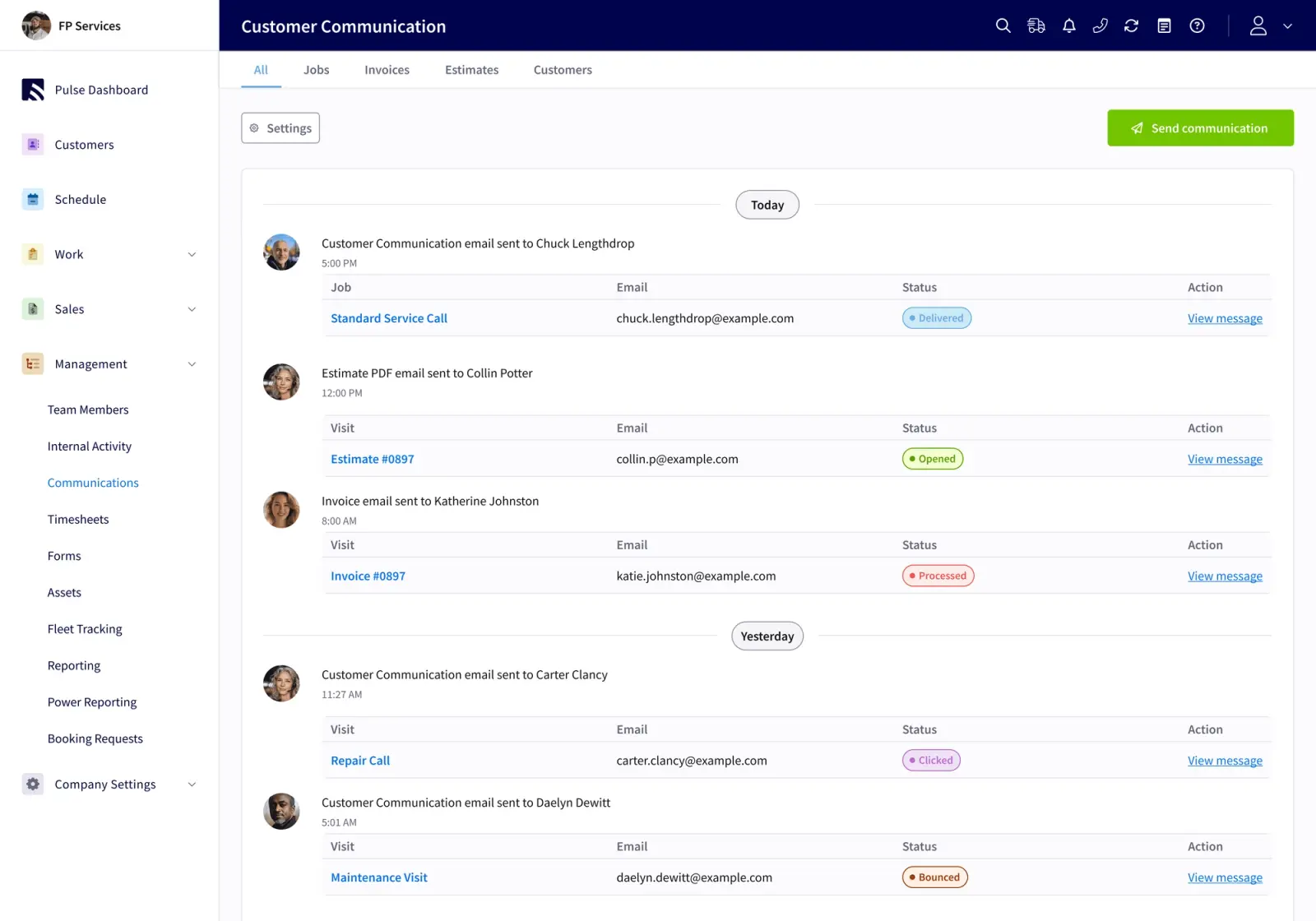
FieldPulse Payments accepts card and ACH and sends Pay Now links by text or email. Payments auto-link to the right invoice, job, and customer. The two-way QuickBooks Online sync means a correction made in the books carries back into FieldPulse instead of being overwritten.
On average, FieldPulse customers experience 25% gains in efficiency, and office teams save 40+ hours per month.
Customer Portal Examples for HVAC, Plumbing, and Garage Door Businesses
Seeing how a connected portal works in your trade makes the difference clearer. Here is how it looks in three common scenarios.
HVAC. A customer approves a system replacement estimate in the portal and pays a deposit before your install crew is scheduled. The job status moves, your office sees it without a call, and the deposit invoice is already linked to the job. Your dispatcher schedules the install against a job that is already funded.
Plumbing. A customer views prior service history and equipment records before a repeat visit. Your tech arrives knowing which water heater is on site and what was done last time. Your office does not need to call the customer or dig through access files.
Garage door. A customer renews a maintenance agreement or looks up warranty details on an opener from the portal. The renewal updates the agreement record and generates the recurring invoice. Nobody in your office has to remember to follow up.
In each case, the portal connects directly to your operation. It gives your customer a window into the same record your team already works from.
What a Customer Portal Should Include for a Service Business
When you evaluate any portal for your service business, look for these core pieces that actually reduce office workload.
-
Connection to the job record. A customer action updates the job, customer, and invoice record automatically, instead of creating a notification that someone must act on.
-
Payment and approval flow. An approved estimate becomes a deposit invoice, and the payment links back to the same job without manual entry.
-
Self-service booking. Customers can schedule without calling your office, and the booking lands directly on your dispatch board.
-
Service history and equipment records. Customers can answer their own questions about prior visits, and your techs arrive informed.
-
Branding. The portal looks like your business instead of a generic third-party tool.
-
Clear impact on office work. You can trace a customer action all the way to an updated job record and see where it removes steps for your team.
The Office-Workload Angle: Fewer Status Calls, Less Duplicate Entry
Your office administrator or dispatcher feels the impact of a connected portal first. Their day changes in visible ways.
Right now, many inbound calls are customers asking questions your office already has answers to, but still has to look up and relay. When customers can find those answers themselves, the calls drop. Service businesses that roll out a customer self-service portal often see a 35 to 45 percent reduction in routine inbound calls within the first 90 days. Your office stops acting as a relay station and can focus on exceptions and escalations.
The same pattern applies to duplicate entry. Every customer action that updates the job record automatically is one fewer thing your office has to type into a second system. FieldPulse customers save 40+ hours per month in office time that previously went to manual handoffs, status relaying, and re-entering information that already existed.
If you want to see where your admin workload is heaviest right now, the three-minute Admin Workload Assessment can help.
Take the Admin Workload Assessment
Conclusion: The Portal Is Only as Good as What It Connects To
A customer portal for service businesses delivers value when every customer action updates the job, customer, and invoice record automatically. A disconnected portal becomes another inbox, and your office stays the relay station.
FieldPulse connects the Customer Portal and Booking Portal to one current job record. A customer approving an estimate in the portal updates the job status, notifies your office without a phone call, generates a deposit invoice, and links the payment back to the same job. Your office stops being the bottleneck. Your customers get answers without calling. Your techs arrive with the context they need already in hand.
That is what a connected portal looks like for a 12-truck HVAC company, a plumbing team with 15 techs, or a garage door business running 8 crews. The portal is the front door. FieldPulse is what sits behind it.


