












Key Takeaways
- Field service scheduling and dispatch software replaces fragmented tools like whiteboards, spreadsheets, and phone trees with one platform that connects your office and field teams around a shared job record.
- Core capabilities include drag-and-drop scheduling, one customer and job record, automated customer notifications, a mobile app with offline functionality, and Spanish-language support for mixed crews.
- Dispatch data quality directly affects job-level profitability by supporting seamless invoicing, accurate job costing, and two-way QuickBooks Online sync without double entry.
- The right software fits teams of 7 to 50 techs where your office and field must stay synchronized across multiple job types, with implementation typically taking 2 to 6 weeks depending on team size and complexity.
- FieldPulse delivers these capabilities for growing residential service teams, with measurable efficiency and time savings detailed below.
What Scheduling And Dispatch Software Actually Replaces
Growing service businesses usually run on three systems at once, and each one creates a specific failure.
The whiteboard gives the dispatcher a view of today, but only today, only in the office, and only if nobody has erased or moved something without telling anyone. When emergency requests come in, the whiteboard cannot update itself. Someone has to call the tech, call the customer, and redraw the day by hand. This produces a schedule that is always slightly wrong and that nobody outside the office can see.
The spreadsheet adds history and structure, but it is still a document, not a system. Two people editing it at once creates conflicts. A change made on one device does not appear on another until someone saves and shares. This produces a version-control problem that looks like a scheduling problem.
The phone tree is what holds the first two together. When something changes, someone calls someone, who calls someone else. Information moves at the speed of whoever picks up, with no record of what was said and no guarantee it reached everyone who needed it.
Fragmentation causes these failures. A business running entirely on digital tools like texts, emails, a shared calendar, and a separate invoicing app has the same problem if information still moves through manual handoffs. Double data entry is the clearest symptom. The tech records the job in the field, and the office re-enters it to build the invoice. That second pass is invisible on any job sheet. It grows with volume instead of with revenue and usually breaks operationally first when you add crews.
Three roles feel this differently, and each one loses something specific. The owner or operations lead owns job economics and is the last to know when a job did not make money. The office administrator or dispatcher runs the day, so every missed handoff lands on their office as extra work. The tech in the field is stuck waiting on information that should already be on the job, such as the customer’s history, the equipment record, or the gate code, and calls the office to get it.
The Core Capabilities In Plain Operational Language
Good scheduling and dispatch software ties every capability to a clear workflow problem. Here is how that looks in day-to-day work.
Drag-and-drop scheduling and dispatch replaces the phone tree. Your dispatcher sees live technician locations on a map and a calendar at the same time. Rescheduling a job moves it on the board and updates everyone affected. The system puts the right technician on the right call based on skills, location, and availability from the same view, without a separate conversation.

One customer and job record replaces scattered context. Your office can answer a customer’s question without calling a truck, because the customer’s history, service locations, equipment and asset records, warranty documents, photos, files, invoices, and every logged communication live in one place. On a repeat visit, your tech arrives already knowing what was done last time.

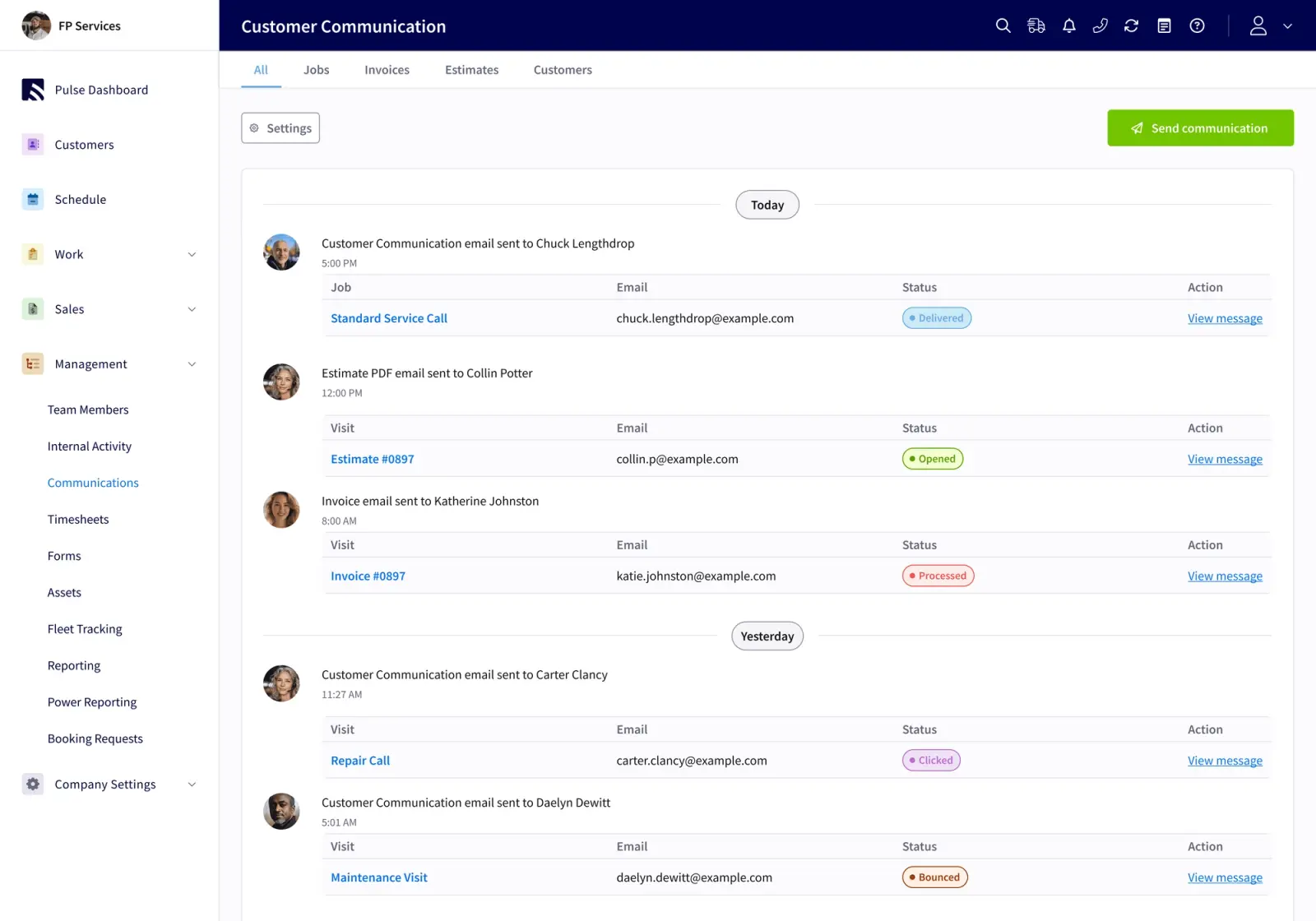
Automated customer notifications reduce no-shows and cut down on “where is my technician” calls. Appointment reminders, on-the-way alerts, and completion notices send from the job’s own status changes, instead of someone remembering to send a text.
The mobile app gives your techs the day’s jobs with address, contact, notes, and the customer’s history in one place. They can look at tomorrow the night before and arrive already knowing what they are walking into. When signal drops in a basement, a rural service area, or a mechanical room, the app keeps most of the job workflow moving. The past week of jobs, projects, customers, estimates, and invoices stay cached on the device. If signal drops mid-edit, the active draft turns into an offline draft automatically. Everything entered offline saves locally and syncs as soon as the device is back in signal. FieldPulse techs can work offline without cell signal. They can save unlimited job notes, upload multiple photos at a time, update job statuses, and clock in and out.

The mobile app in Spanish lets your Spanish-speaking techs follow the same jobs and the same workflow as the rest of your crew, in the language they use most comfortably. The entire mobile interface, from navigation to labels in records, is translated. This is available on the mobile app only, and the web app is in English. Notes and comments are not auto-translated. The FieldPulse team enables it per user, so a mixed crew works smoothly. One tech runs the app in Spanish, the next runs it in English, and your office sees the same job records either way.
How Dispatch Connects To Invoicing And Job Costing
All of these capabilities matter only if the data they capture reaches your books. Dispatch data quality determines whether job-level profit margin is visible at all.
When the job record carries parts, labor, notes, photos, and signatures from the field to the office as the work happens, it converts to an invoice without re-entry. Your techs can invoice and collect card or ACH payment on site. Pay Now links go out by text or email. Payments auto-link to the right invoice, job, and customer.

Because your techs clock in against the job itself, labor hours tie to specific work instead of to a weekly total. That sets up job-level profitability. Job costing estimates your profit margin upfront and confirms actual profit after completion. It tracks labor, materials, and overhead with per-job profit and loss and line-item cost, price, and profit breakdowns. RDI, a commercial interiors business that had run for fifty years without this visibility, described the moment it became available: “I wasn’t really thinking about it until we went into the data. Wow, we have really great margins on these sorts of jobs. Let’s push it more into that.”
The two-way QuickBooks Online sync ends double entry. Customers, line items, estimates, invoices, payments, purchase orders with full line-item detail, and vendors sync in both directions. Timesheets flow into QuickBooks Online when a tech clocks out. A correction made in QuickBooks Online carries back into FieldPulse instead of being overwritten. It works with QuickBooks Online Essentials, Plus, and Advanced in the US, Canada, and Australia. QuickBooks Desktop is also supported.
How To Choose By Crew Size And Trade
Your crew size and job mix drive which scheduling and dispatch setup fits best.
For the smallest teams of about one to five techs, this category may not be necessary yet. If you stay close enough to every job that memory covers the gaps, a full scheduling and dispatch platform adds configuration work before it adds value. Lighter tools often fit that stage better.
For teams of roughly seven to fifty techs, the way information moves usually breaks operationally. That is where scheduling and dispatch software earns its place. The office cannot keep up with the field by phone. The field cannot keep up with the office by text. You need a shared record that updates automatically when something changes.
For larger multi-location operations, your focus shifts to permissions, reporting depth, and whether each location can run its own workflows while rolling up to a single view.
By trade, the shape of the work changes. Multi-trade HVAC and plumbing companies run emergency and maintenance jobs on a single shared dispatch board, usually organized by trade first and then by urgency. Your dispatcher needs to absorb an emergency call without blowing up the day’s planned work. Garage door service runs two distinct job types: service work on existing systems and installation work on new or replacement systems. The better question than trade is whether your office and your field have to stay in sync across multiple job types. If they do, scheduling and dispatch software fits. FieldPulse supports commercial work, and its depth focuses on residential, so you should not assume commercial and residential workflows are equally mature on the platform.
For more on how this plays out for specific team sizes, see Field Service Software For Growing 7–50 Tech Teams and HVAC Scheduling Software For Teams Beyond 5 Trucks.
What Dispatch Software Costs And How To Approach Pricing
Dispatch software pricing is usually quoted per business and based on how many people need access and which capabilities you turn on.
Most platforms use seat-based pricing instead of a flat rate. Your actual cost depends on how many people need full access in the office and how many techs need the mobile app.
Capabilities often bundle into packages, and some advanced features may be priced separately. Your mix of features, such as pricing tools or fleet tracking, affects the final number.
The fastest way to get a real number is a demo. That conversation covers your team size, your trade, and what needs to run on day one so you get a quote tied to your actual setup.
What To Ask In A Demo
Going into a demo with a short checklist keeps the conversation focused on your real workflow problems.
- Ask to see each role in its actual interface. That includes the owner’s reporting view, the administrator’s scheduling and inbox view, and the tech’s mobile view. Then ask how information moves between them.
- Ask what happens when signal drops. Confirm whether the tech can still update job status, add notes, and clock in and out without connectivity.
- Ask how the accounting sync handles a correction made in the books. If a fix made in QuickBooks Online does not carry back into the field service software, you still have double entry, just in the other direction.
- Ask how a mixed-language crew works. If your techs work most comfortably in Spanish, ask to see the mobile app in Spanish and confirm what gets translated and what does not.
- Ask what the rollout sequence looks like and who runs the working sessions. A clear implementation plan is a stronger signal than any feature claim.
These questions test how well the software fits your process. For more on what the office administrator’s view should look like, see Field Service Management Software For Office Managers.
Rollout Reality
Switching takes real work, and planning for that work makes rollout smoother.
Onboarding typically runs two to six weeks, depending on your team size, which capabilities you enable, how much data has to migrate, and how your accounting setup is handled. The sequence usually follows these steps:
- Scope the work, including capabilities, data, accounting requirements, and business complexity.
- Assign an implementation manager and establish a recurring session cadence.
- Configure the foundation, including system preferences, templates, permissions, ClearPath’s Mobile Focus View, and the mobile workflow.
- Move data and connect QuickBooks Online, which can extend the schedule.
- Enable each role through working sessions, with homework between sessions so your team can practice.
- Transition to ongoing support.
RDI, which grew from 15 to 50 employees over three years on FieldPulse, described their approach: “We ripped band-aids off one at a time, instead of all at once.” They started with scheduling, then invoicing, then time tracking, then ClearPath. Their field crew had used paper time cards for thirty years. The team expected six months to get adoption on time tracking and was running payroll off the app within two weeks.
Rollouts hold when the process has clear phases, small tasks between sessions, and each session opens with the questions that came up since the last one. Speed matters less than a structure your team can follow.
Why FieldPulse
FSM software built for growing residential service teams needs to do more than schedule jobs. It needs to connect your office and your field around one current record, so a schedule change updates everyone, job details flow into invoicing without re-entry, and your profit margin becomes visible at the job level.
FieldPulse is built for that outcome. The spine is ClearPath, included in the core platform, which turns your process into office-defined job stages, required actions at each stage, and a mobile view that shows your tech only what the current step needs. Around it sits the full job lifecycle. That includes scheduling and dispatch, job and project management, pricing, estimates and invoices, job costing, payments and collection, customer communication, and reporting, plus a two-way QuickBooks Online sync.
FieldPulse holds a 4.8 out of 5 aggregate rating across G2, Capterra, the App Store, the Google Play Store, and other software-review sites. On average, FieldPulse customers experience 25% gains in efficiency, with office teams saving 40+ hours per month, field teams seeing a 50% increase in on-time delivery, and businesses adding 16+ customers every month.
RDI is a clear example of what this looks like in practice. A 50-year-old commercial interiors business in St. Louis, they came to FieldPulse running on pen, paper, and Excel. Three years later they saw 100% business growth in 12 months, 10 to 30–40 jobs per week, time-to-invoice cut from three weeks to five days, 15 to 50 employees, and job-level profitability visible for the first time in the company’s history. As the RDI rollout showed, adoption can move faster than expected.
For a complete look at offline capability, see Offline Capable Dispatch Software: The Complete Guide.
Frequently Asked Questions
What Does Field Service Scheduling And Dispatch Software Do?
This software connects your office and your field around one shared job record. When a job is created, scheduled, dispatched, completed, and invoiced, all of that happens in one system instead of across a whiteboard, a spreadsheet, and a chain of phone calls. The office sees live technician locations and job status without calling anyone. Techs see their day’s jobs with full customer context on their phones. Schedule changes update everyone affected automatically. Job details flow into invoices without re-entry. Customer notifications send from the job’s own status changes. Information moves through a system instead of through manual handoffs, which lets a growing team stay coordinated without adding as much administrative headcount.
Who Does It Fit Best?
This category fits established, team-based service businesses where your office and your field have to stay in sync across multiple job types. FieldPulse’s content and campaign focus runs from about 7 to 50 technicians, and its lead verticals are HVAC, plumbing, and garage door service, with strong secondary verticals in electrical, appliance repair, and locksmith. At that size, the owner is no longer close enough to every job for memory to cover the gaps, and the way information moves becomes the main constraint on growth. Smaller teams of one to five techs may not need full field service scheduling and dispatch software, though some small operations still see meaningful gains from it. Larger multi-location operations should ask specifically about permissions, reporting depth, and whether each location can run its own workflows.
How Long Does Implementation Take?
Implementation typically takes two to six weeks, depending on your team size, which capabilities you turn on, how much data needs to migrate, and how your accounting setup is handled. The rollout follows phases: scope the work, configure the foundation, move data and connect accounting, train each role, then transition to ongoing support. Your team will have homework between sessions, and that practice is what makes adoption stick. Faster launches happen, and you should still plan against the realistic window instead of the best-case scenario.
What Should I Consider For Technician Adoption?
Three things matter most for technician adoption. First, the mobile interface has to be simple enough that a tech can figure it out without a manual. If it takes more than a few minutes to learn the basics, adoption will be a persistent problem. Second, involve a respected tech or two in the pilot before rolling out to the whole crew. Peer advocates pull the team along faster than a top-down mandate. Third, if part of your crew works most comfortably in Spanish, confirm whether the mobile app is available in Spanish and what exactly gets translated. An app that forces a tech to translate every screen in their head adds friction that compounds over every job. Run a phased rollout. Start with schedule visibility and the basics, then layer in more capabilities once the crew trusts the software.
How Does It Connect To Accounting?
The most important connection is a true two-way sync. A real integration syncs customers, line items, estimates, invoices, payments, purchase orders, and vendors in both directions. A correction made in your accounting system should carry back into your field service software. Timesheets should flow into your accounting system automatically when a tech clocks out, so labor hours tie to specific jobs instead of to a weekly total. Tax rates should come from your accounting system so what the customer is charged matches what the books expect. Before committing to any platform, ask specifically how a fix made in QuickBooks Online gets back into the field service software. That answer tells you more than any feature list.
What Are Common Limitations Or Trade-Offs?
Several trade-offs are worth knowing ahead of time. Offline capability varies significantly between platforms, so confirm exactly what your techs can do without signal, especially for job updates and time tracking. The mobile app and the web app are often different experiences, so ask to see both. If your business does significant commercial work, confirm that the platform’s commercial capabilities match what you need, because many field service platforms focus on residential and light commercial service businesses. Rollout also takes real work regardless of what a vendor promises. Budget time for data migration, accounting setup, and role-specific training, and plan for a two-to-six-week window instead of a few days.
Conclusion: The Operational Problem This Software Is Built To Solve
The emergency call that turns into a phone tree and the invoice that never follows the job come from the same cause. They are the predictable result of information moving through people instead of through a system. Scheduling and dispatch software closes that gap with one record that your office and your field work from together. A schedule change updates everyone. Job details flow into invoicing without re-entry. Your profit margin becomes visible at the job level.
When you evaluate options, focus on crew size, trade, accounting integration, offline behavior, mobile adoption, and whether your crew includes Spanish-speaking techs. Ask to see each role in its actual interface. Ask what happens when signal drops. Ask how a correction in your accounting system gets back into the field software. Those questions reveal fit better than any feature comparison.
FieldPulse is built for growing residential service teams in the seven-to-fifty-technician range, with particular strength in HVAC, plumbing, garage door service, electrical, appliance repair, and locksmith. If your office and your field need to stay in sync across multiple job types, and you want job-level profitability visible as a matter of course, it is worth a conversation.


