












Key Takeaways
-
Service standardization means defining job stages, required actions, owners, and quality checks so every tech delivers the same result.
-
Start by mapping how different techs actually run the same job type, then pick the single workflow that causes the most pain.
-
Define each standard with a clear trigger, owner, required actions, quality check, and exception path, then enforce it through the mobile field service software.
-
Standardize handoffs between office and field so status changes automatically trigger the next action and customer notifications.
-
FieldPulse turns these standards into guided mobile workflows with required checklists, photo uploads, and offline caching so teams follow the same process every time.
What Is Service Standardization?
Service standardization means defining the stages a job type moves through, the required actions inside each stage, who owns each action, and what counts as done. The same job then produces the same result regardless of which tech runs it. A standard is a workflow your tech follows on the truck, with the same job stages, the same required actions at each stage, and the same quality checks, every time.
How To Standardize Service Workflows: 7 Steps
The following seven steps give you a sequence from current-state mapping through measurement. Each step below includes a definition, a field service scenario, and a clear description of what done looks like.
-
Map the current state honestly.
-
Pick the one workflow that hurts most.
-
Define the standard as trigger, owner, required actions, quality check, and exception.
-
Standardize the handoffs, office to field and field to office.
-
Put the standard in the tool, not the binder.
-
Train by role, not by manual.
-
Measure whether the service works, not whether people are busy.
Step 1: Map The Current State Honestly
Start by seeing how different techs actually run the same job type, not how you assume they do. Ride along, watch a closeout, and read three completed job records side by side.
An HVAC owner rides along with two techs on the same maintenance call type and finds one checks refrigerant pressures before cleaning the coil and the other does it after, and neither writes down the same readings. That ride-along is one way to map the current workflow. Interviewing dispatchers, techs, and office staff works too, and it surfaces the same thing: duplicate data entry, manual handoffs, repeated phone calls, and missing information.
Done looks like a written list of where the same job diverges across your team.
Step 2: Pick The One Workflow That Hurts Most
Focus on the workflow that creates the most pain for your team. In a service business the usual candidates are client intake, the service call itself, and job closeout-to-invoice.
A plumbing company realizes its closeout-to-invoice step is where cash flow leaks. Techs finish the job, but the office waits two days for parts and labor details. Delayed invoicing and cash flow challenges are among the most consistent hidden costs of manual field processes.

Done looks like a single named workflow with a clear reason it was chosen.
Step 3: Define The Standard As Trigger, Owner, Required Actions, Quality Check, And Exception
Spell out the trigger that starts the workflow, the role responsible at each stage, the required actions, the quality check that proves the stage is complete, and the exception path when the job does not fit the standard.
A garage door company defines its repair call as: trigger (customer call or booking portal request), owner (dispatcher assigns), required actions (tech confirms door type, spring condition, opener model, safety check), quality check (photo of completed work and customer signature), exception (parts not on truck, tech marks “return visit needed” and office schedules). That level of detail only holds if the tech sees it on the job. Guided digital work orders with mandatory checklist steps and required photo uploads prevent techs from skipping steps under time pressure, so a completed job is genuinely complete rather than administratively closed.

Done looks like a one-page workflow a new hire could follow.
Step 4: Standardize The Handoffs, Office To Field And Field To Office
Give every handoff a named owner, a system of record, and a confirmation that it happened. This step often gets skipped, yet it is where many residential service businesses lose time and money.
The dispatcher assigns a job in the system, the tech receives it on the mobile app, the tech marks “on my way,” which triggers a customer text, and the tech completes the job and marks it complete, which triggers the invoice workflow. Most dispatch failures are handoff failures. The calendar may show the appointment, but the job still needs clear ownership, tech context, customer updates, and a clean path to billing.
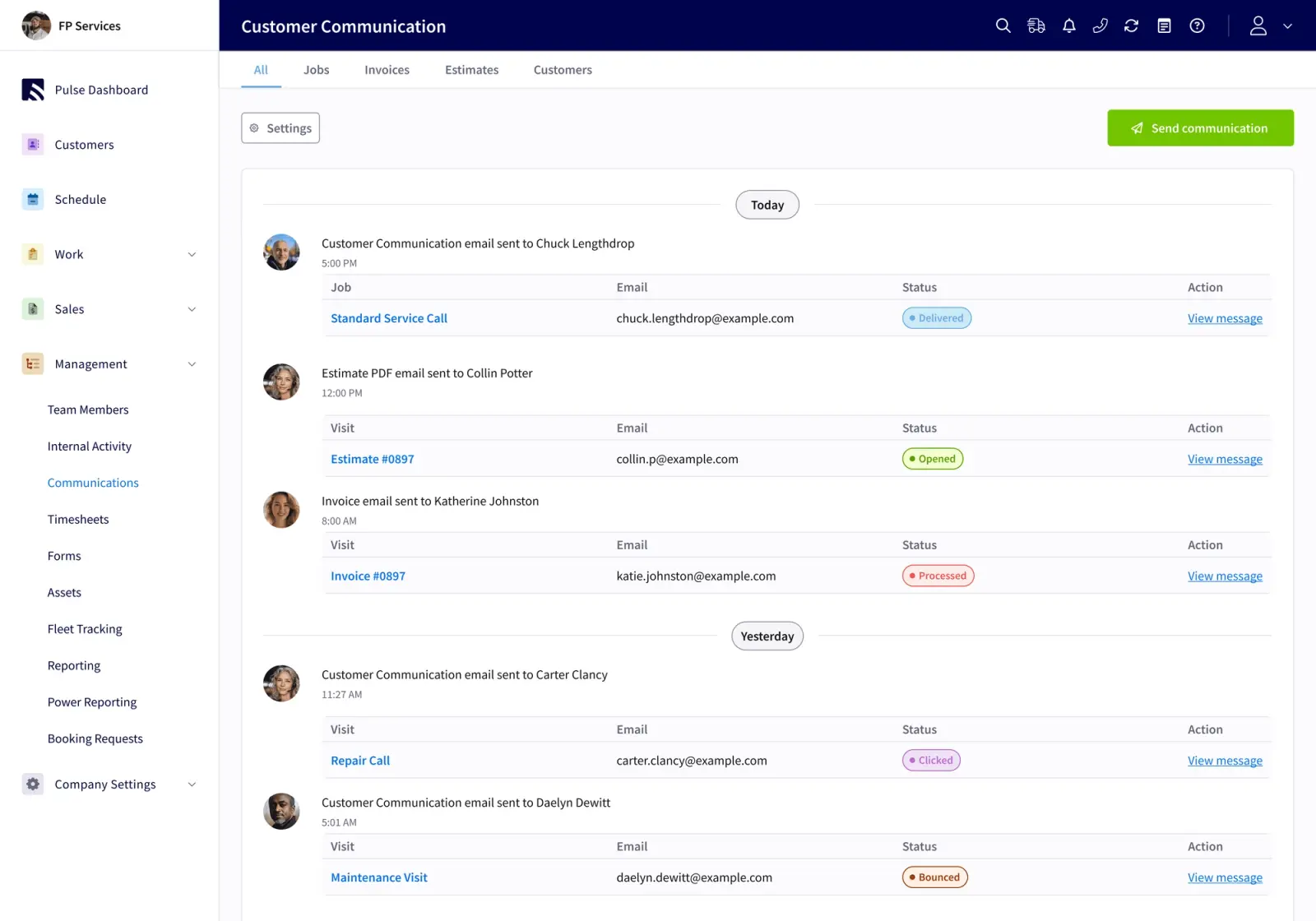
Done looks like every handoff running from a defined trigger instead of someone’s memory.
See how FieldPulse carries your standard to the field.
Step 5: Put The Standard In The Tool, Not The Binder
A standard only holds when it lives in the workflow tool your tech uses on the truck. FSM software earns its place because it carries your process to the field instead of sitting in a filing system.
FieldPulse’s ClearPath, included in the core platform, turns your process into office-defined job stages with required actions at each stage. ClearPath’s Mobile Focus View shows your tech only what the current stage needs, including checklists, required actions, and single-tap Action Buttons, so the screen never becomes a wall of options. The tech sees a short, ordered list rather than a whole application. That structure shortens ramp time for new hires and reduces skipped steps on busy days.
When signal drops in a crawlspace, a basement, or a rural service area, FieldPulse’s caching behavior keeps the past week of jobs, projects, customers, estimates, and invoices on the device. Your tech can view cached jobs, add notes and photos, update statuses, clock in and out, and work from cached estimates and invoices. Notes, photos, and status changes save locally, and everything syncs when signal returns. An HVAC tech in a crawlspace with no signal still follows the same stages on the phone that the office defined and everything syncs when the truck pulls out of the driveway.

Done looks like your tech following the same stages on a phone that your office defined.
Step 6: Train By Role, Not By Manual
New-hire ramp time reflects how clear your workflow is. A guided mobile view shortens it because the tech only sees what the current stage requires.
A new plumbing tech runs a standard service call in their first week because the mobile view shows only the current stage’s required actions. For teams with Spanish-speaking techs, the FieldPulse mobile app is available in Spanish, with the entire interface, from navigation to labels in records, enabled per user by the FieldPulse team, mobile app only. Notes and comments are not auto-translated; they appear in the language they were written in. A mixed crew works fine: one tech runs the app in Spanish, the next in English, and your office sees the same job records either way.
Done looks like a new tech running a standard job in their first week.
Step 7: Measure Whether The Service Works, Not Whether People Are Busy
Use simple metrics to see whether the standard holds. Track first-contact resolution, cycle time, rework, and handoff failures, then review the standard on a set cadence.
An operations lead reviews monthly how many jobs required a return visit, how many invoices went out more than 24 hours after job completion, and how many handoffs failed. A recommended review cadence runs daily for dispatch exceptions, weekly for service managers tracking first-time fix and repeat visits, and monthly for leadership reviewing cross-category performance.

Done looks like a monthly review with a named owner.
Tools, Frameworks, And Practical Examples For Your Workflows
The seven steps above tell you what to do. These frameworks help you do it by giving you mapping and documentation tools before you configure any software.
Workflow maps and swimlane diagrams assign lanes to roles such as dispatcher, tech, and office administrator and show work moving horizontally through stages. Swimlane diagrams make handoffs visible and remove ambiguity about who owns each step, which fits multi-role processes like a service call that moves between dispatcher, tech, and billing. For most residential service teams, a swimlane on a whiteboard or a shared document is enough to expose where the same job diverges.
Job status models define the stages a job moves through and what counts as done at each stage. A standard break/fix workflow covers intake, triage, parts check, schedule and dispatch, onsite service, closeout, and invoice, with emergency requests coming in automatically jumping to the top of the queue. A preventive maintenance workflow adds auto-generated work orders from service intervals, pre-visit prep with equipment-specific checklists, and automatic scheduling of the next visit.
Checklists are the simplest enforcement mechanism. Checklists matter most for repetitive or regulated field service processes, because they define required steps and make certain fields mandatory before a tech can complete a job, instead of relying on free-text notes.
Reporting cadences close the loop. The same method of stages, required actions, quality checks, and exception paths looks different by job type. Here is how it plays out in three common residential trades:
-
HVAC install: Stages run from pre-visit prep, where equipment is confirmed and floor protection is checked off, through installation, system startup, and customer sign-off. Required actions at each stage include photo of completed work, refrigerant readings recorded, and customer signature before the tech leaves.
-
Plumbing service call: Stages run from intake through diagnosis, repair, and closeout-to-invoice. The handoff from field to office is triggered when the tech marks the job complete, which pushes parts and labor to the invoice workflow without re-entry.
-
Garage door repair: Stages run from dispatch through arrival, diagnosis, repair, and closeout. The exception path, parts not on truck, routes to a return visit scheduled by the office instead of sitting in a text thread.
A three-stage checklist works for a straightforward service call. A multi-stage sequence with required photos and customer sign-off at each stage fits a full-day install. The right level of detail is the one your team will actually follow.
Common Workflow Challenges And Troubleshooting
Even well-designed standards can break down in the field. Recognizing early warning signs helps you catch problems before they compound.
Communication gaps. Early warning: techs call the office for information already collected at intake. Likely cause: job details are not attached to the work order before dispatch. Prevention: define minimum required information before a job enters scheduling, including customer name, contact, service address, job type, problem description, access instructions, and relevant equipment details.
Duplicate entry. Early warning: your administrator re-enters parts and labor from a tech’s notes into a second system. Likely cause: information lives in too many disconnected places. This affects fully digital businesses and manual ones equally. Prevention: one job record that the whole team works from, with parts, labor, notes, and photos captured in the field and carried to the invoice without re-entry.
Missed steps. Early warning: jobs close without required photos or signatures. Likely cause: the standard lives in a binder or a PDF, not in the workflow tool. Prevention: required actions at each stage that the tech must complete before the job moves forward.
Schedule changes. Early warning: customers call to ask where their tech is. Likely cause: the dispatcher updated the schedule, but the customer and the tech were notified by separate manual steps and one was missed. Prevention: status changes that automatically trigger customer notifications, so no handoff depends on somebody remembering to send a text.
Incomplete job documentation. Early warning: invoices go out with missing line items or disputed charges. Likely cause: the tech completed the work, but the closeout record is incomplete. Prevention: required fields before a job can be marked complete, including parts used, time recorded, and customer signature captured.
Delayed invoicing. Early warning: invoices go out more than 24 hours after job completion. Likely cause: the office waits for field notes before building the invoice. Prevention: the job record carries parts, labor, notes, and photos from the field to the office as the work happens and converts to an invoice without re-entry. RDI cut time-to-invoice from three weeks to five days after standardizing this handoff.
The standard breaking in the field when there is no signal. Early warning: techs complete jobs manually in basements or rural areas and re-enter data later. Likely cause: the workflow tool requires a live connection to function. Prevention: caching behavior that keeps recent jobs on the device, so techs can complete a majority of the job without cell signal and sync when connectivity returns.
Long-tenured techs doing it their own way. Early warning: job records from senior techs consistently miss required fields. Likely cause: the standard was imposed without buy-in, and the tech sees it as extra work instead of a tool that helps them. Prevention: involve senior techs in defining the standard, and show them specifically what the new workflow removes from their plate, such as end-of-day paperwork, calls from the office asking for job details, and disputed charges.
See how FieldPulse handles the handoffs.
Measuring Success Of Your Standardized Workflows
The right metrics tell you whether the standard is holding instead of just showing that your team is busy.
Start with these objective indicators:
-
First-contact resolution rate: the percentage of jobs completed without a return visit. A first-time fix rate below 70% is associated with measurable adverse effects on customer retention, satisfaction, and SLA compliance (per Aberdeen Group research cited by IBM and osapiens).
-
Invoice lag: time from job completion to invoice sent. RDI’s time-to-invoice improvement, mentioned earlier, is one example. Fair Comfort Solutions cut quote creation time from four to eight hours down to four to eight minutes.
-
Callback rate: how many jobs required a return visit in the same period.
-
Handoff failure rate: how many jobs stalled between stages because a required action was not completed.
-
Schedule adherence: how many jobs started within the committed arrival window.
-
Customer response time: time from customer request to first contact.
-
Job-level financial visibility: whether you can see expected and actual profit margin per job. FieldPulse’s job costing estimates margin upfront and confirms actual profit after completion, with per-job profit and loss and line-item cost, price, and profit breakdowns.
These are the same metrics FieldPulse customers track after standardizing. On average, FieldPulse customers see 25% gains in efficiency. Office teams save 40+ hours per month. Field teams improve on-time delivery by 50%. And businesses add 16+ customers every month.
Track these metrics through recurring reviews, dashboards, or exception reporting. Separate early operational improvements, such as invoice lag dropping in the first month, from longer-term trends like first-contact resolution rate improving over a quarter. First-time fix rate often reflects parts availability, scheduling accuracy, and job information quality more than individual tech performance, so fix the information problem before assuming a training problem.
Advanced Considerations And Iteration As You Grow
Once your metrics show the first workflow is holding, you can extend the same method to more job types, more locations, and more complex handoffs. Here is how to scale without losing the control you just built.
Standardizing across multiple locations. Each location runs its own job stages, but the control framework, including how jobs enter the system, how handoffs are confirmed, and how invoices are triggered, stays consistent. Window Fix built a franchise model on FieldPulse by running three accounts in parallel: the original Brooklyn operation, a clean franchisee instance, and a franchisor account where purchase orders and royalties roll up.
Improving role handoffs. As your team grows, the handoff between dispatcher and tech becomes the highest-risk point in the workflow. Handoffs are unreliable when work transfers because someone mentioned it in a meeting or sent a message without changing the underlying record. Define the handoff as a system event with required data and a named owner.
Refining repeatable processes as the business grows. Treat repeated exceptions as evidence that the standard path or its guardrails need improvement. Workflow standardization, establishing best practices for common scenarios while keeping flexibility for exceptions, reduces training time, minimizes errors, and supports continuous improvement.
Readiness criteria for more advanced changes. Before expanding to a second job type or a second location, confirm that the first workflow produces consistent job records, that your team can describe the standard without referring to a document, and that your metrics show the standard is holding. Test improvements in controlled phases, such as one job type, one crew, or one location, before expanding.
For scheduling and dispatch guidance that connects to workflow standardization, see Field Service Scheduling & Dispatch: A Workflow Guide. For HVAC-specific handoff breakdowns, see HVAC Dispatch Software: The 5 Handoffs Breaking Your Day. For a broader look at how to evaluate field service software against your workflow, see Field Service Software: A Workflow-Fit Guide for Teams.
Frequently Asked Questions
What Is Service Standardization?
Service standardization means defining the stages a job type moves through, the required actions inside each stage, who owns each action, and what counts as done so the same job produces the same result regardless of which tech runs it. It is a workflow your team actually follows, built into the tool they use on the job, not a binder of SOPs sitting on a shelf.
How Long Does It Take To Standardize Service Workflows?
Standardizing a single workflow typically takes four to eight weeks from mapping through a stable live pilot: roughly one week for process mapping, one week for platform configuration, one week for role-based training, and two to four weeks for a live pilot before full adoption. FieldPulse onboarding typically runs two to six weeks, depending on your team size, which capabilities you enable, how much data has to migrate, and how your accounting setup is handled. The sequence is: scope the work, configure the foundation, move data and connect QuickBooks Online, train each role, then transition to ongoing support. Plan against the real window rather than a best-case scenario.
Do I Need Software To Standardize Workflows?
You can map and define a standard without software. A whiteboard, a swimlane diagram, and a one-page workflow description are enough to get started. The challenge is enforcement, because a standard that lives in a document depends on people remembering to follow it. A standard that lives in the workflow tool your tech uses on the truck enforces itself, since required actions must be completed before the job moves forward and the office sees progress in real time without a phone call. For teams with more than a handful of techs, software is what makes the standard durable.
How Do You Standardize A Workflow Without Slowing Techs Down?
The key is showing techs only what the current stage needs. A mobile view that presents a short, ordered list of required actions for the current job stage is faster than navigating a full application and much faster than calling the office to ask what comes next. ClearPath’s Mobile Focus View is built on this principle: the tech sees the current stage’s required actions, checklists, and single-tap Action Buttons, and nothing else. New hires ramp faster because the app guides them through the job. Senior techs move faster because the closeout is built into the workflow instead of added at the end of the day.
How Do You Standardize Workflows Across Multiple Locations?
Standardize the control framework, including how jobs enter the system, how handoffs are confirmed, and how invoices are triggered, while allowing each location to configure its own job stages for its specific job types. FieldPulse supports multi-location management, so each location runs its own workflows while the owner or operations lead maintains visibility across all of them. Start with the workflow that is most consistent across locations, get it stable, then extend it. Window Fix, mentioned earlier, runs three FieldPulse accounts in parallel to support its franchise model.
How Do You Keep The Standard When A Tech Has No Signal?
FieldPulse’s caching behavior, described earlier, keeps recent jobs on the device so your tech can work in low-signal environments. In rural areas, basements, or attics, your tech can still complete a majority of the job and sync changes when signal returns. The standard does not depend on a live connection to hold.
How Do You Get Techs To Adopt A New Standard?
Show them specifically what the new workflow removes from their plate. End-of-day paperwork, calls from the office asking for job details, and disputed charges because the closeout record was incomplete all go away. A 30-minute walkthrough focused on “here is what this removes from your plate” consistently outperforms any written tutorial. Involve senior techs in defining the standard so they help build it and feel ownership. Roll out to one crew first, gather feedback, and expand only after the first group is running smoothly. RDI’s field crew had used manual time cards for thirty years; the team expected six months to get adoption and was running payroll off the app in two weeks.


